Maximizing Your Facebook Page: Part 1 - Obtaining Your API Access Token
Part 1 of posting to a Facebook Page with the Graph REST API: creating a Meta developer app, adding permissions and generating a user access token.
In today’s digital era, harnessing the power of social media is essential for businesses and individuals alike. Among the myriad of platforms available, Facebook remains a titan for connecting with your audience, amplifying your brand’s message, and fostering engagement. But did you know that you can take your Facebook Page to greater heights by tapping into its API (Application Programming Interface)?
This series aims to unlock the potential of your Facebook Page through API integration, beginning with the crucial step of obtaining your API access token, specifically tailored for post creation.
Prerequisites
Before diving into obtaining your API access token, ensure you have the following:
- Facebook Account: You’ll need an active Facebook account to access the Facebook for Developers platform and create a developer account.
- Facebook Page: Create a Facebook Page for your business or organization, as you’ll be obtaining the API access token specifically for managing posts on this page.
- Technical Knowledge: Basic understanding of web development concepts such as APIs, authentication, and HTTP requests will be beneficial.
- Patience: The process of setting up your Facebook Developer account, creating an app, and obtaining an API access token may require some time and patience.
Understanding the API Access Token for Post Creation
Before we delve into the process of obtaining your API access token, let’s clarify its role in post creation. An API access token serves as a unique identifier granting permission to interact with Facebook’s API. In this context, it allows you to automate the process of posting content to your Facebook Page.
The Importance of Automated Posting
Automating posting offers several advantages:
- Consistency: Maintain a steady stream of content without manual intervention, ensuring consistent engagement with your audience.
- Efficiency: Save time and resources by scheduling posts in advance, freeing you up to focus on other aspects of your business or content strategy.
- Flexibility: Tailor your posting schedule to align with your audience’s peak engagement times, maximizing the impact of your content.
Obtaining Your API Access Token for Post Creation
Now, let’s walk through the steps to obtain your API access token specifically for post creation:
Create a Facebook Developer Account
If you haven’t already, sign up for a Facebook Developer account on the Facebook for Developers website.
Set Up a New App
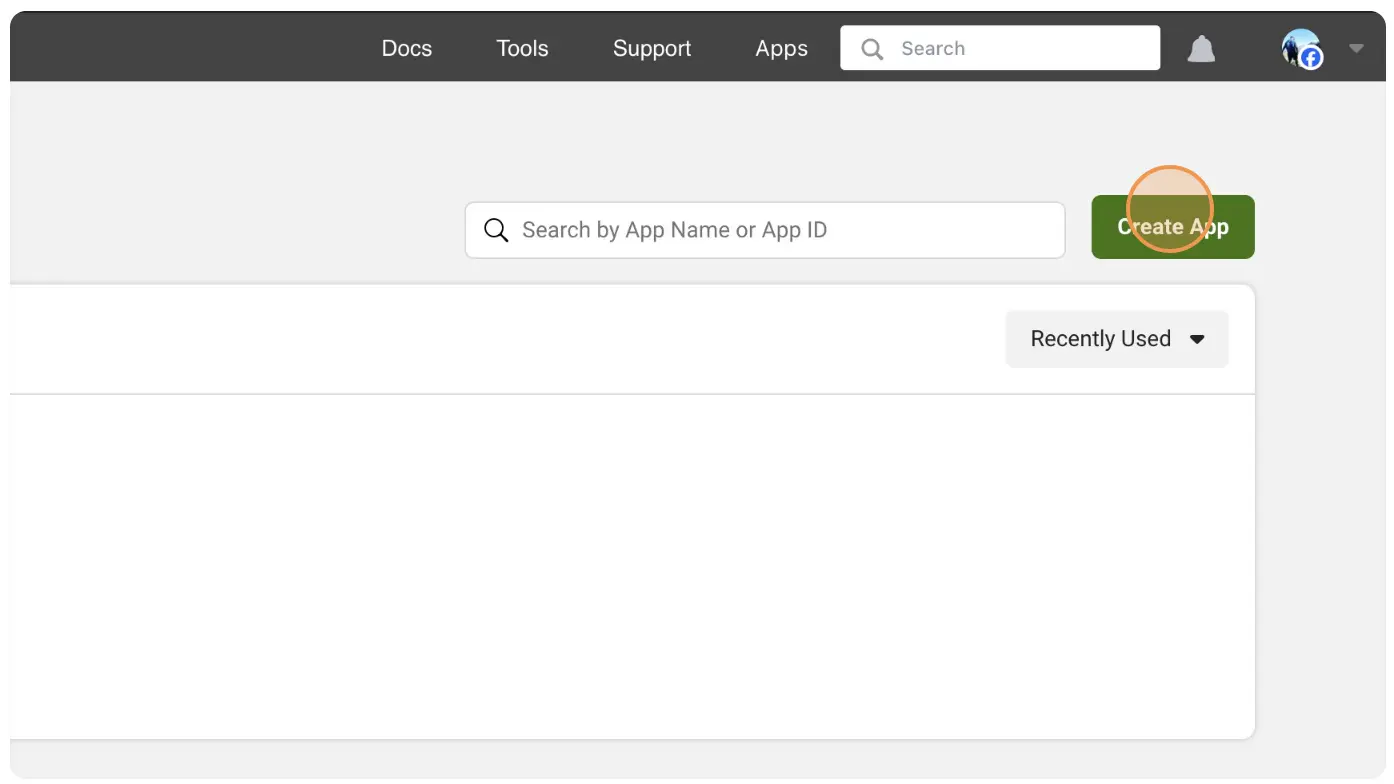
- Navigate to the “My Apps” dashboard within your developer account.

- Click “Create App”
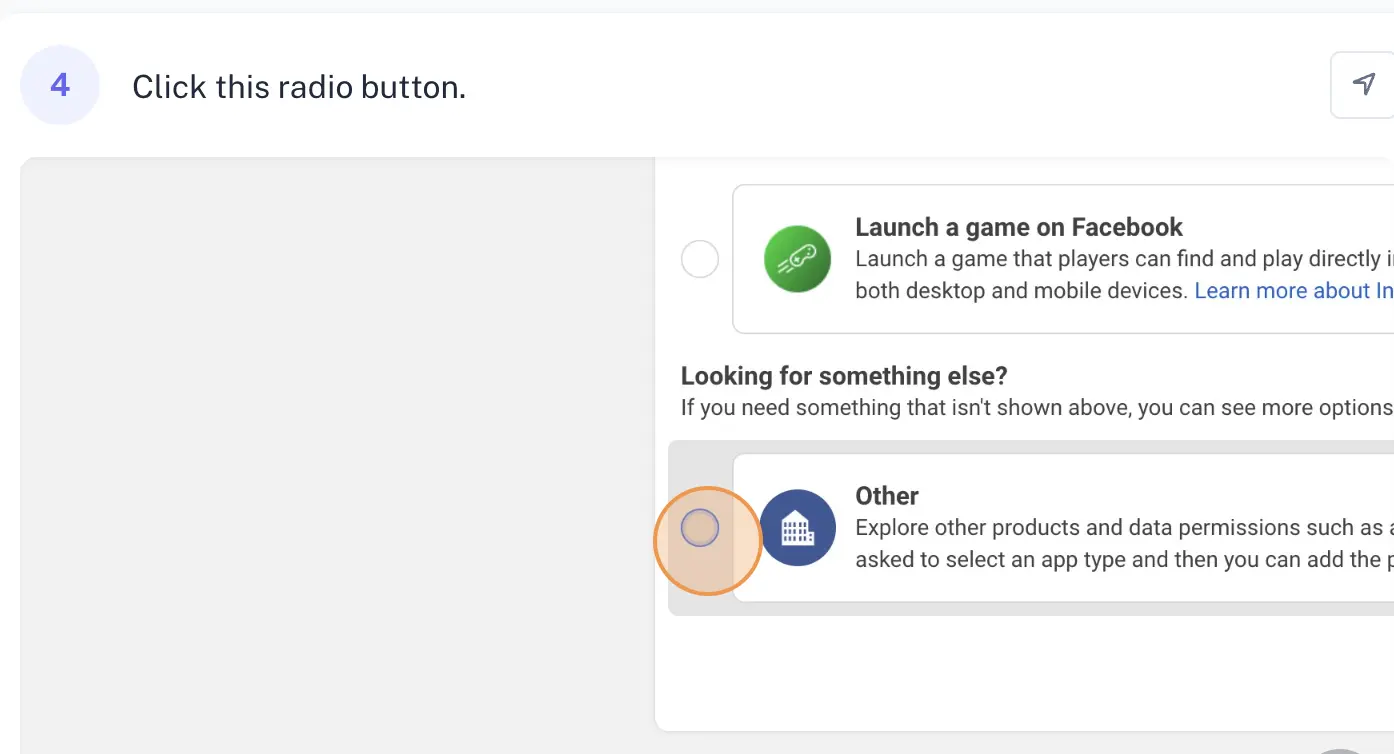
- Click on Other radio button.
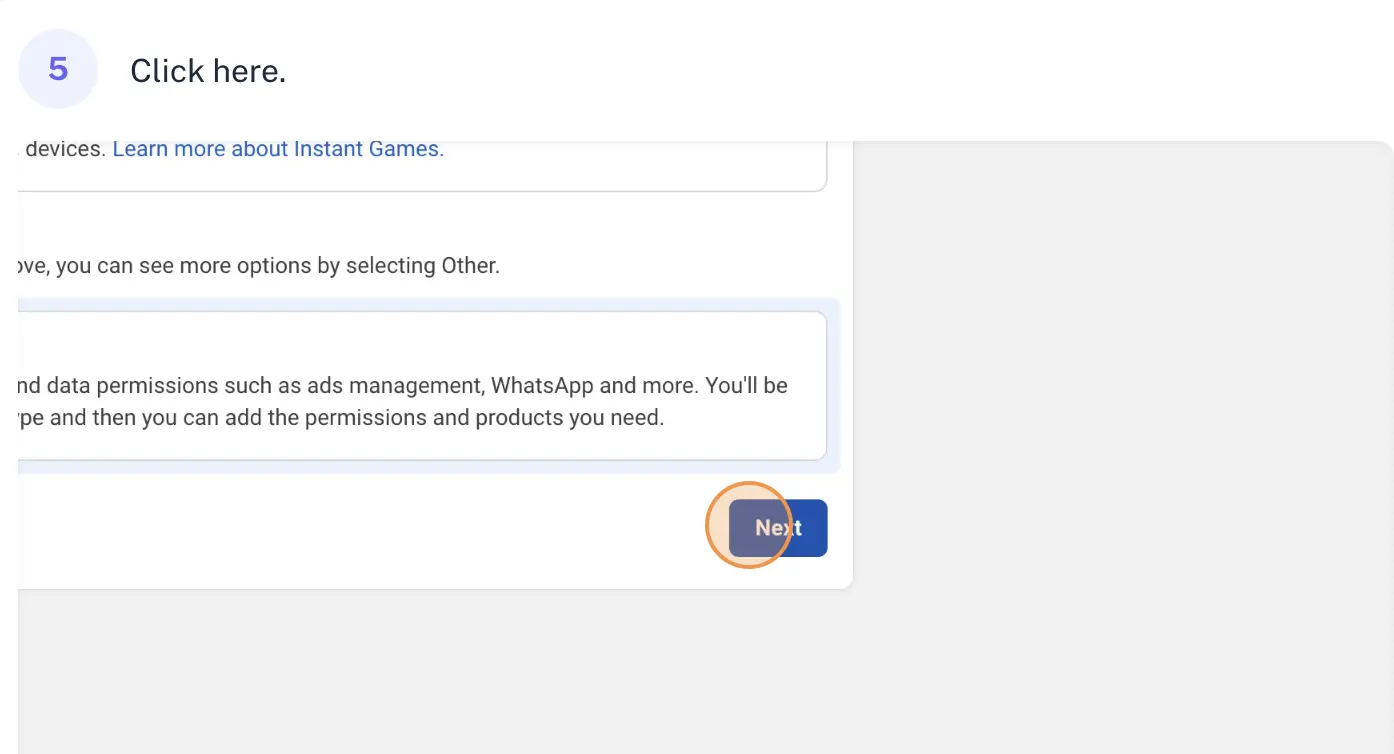
- Click Next
- Select Business app type
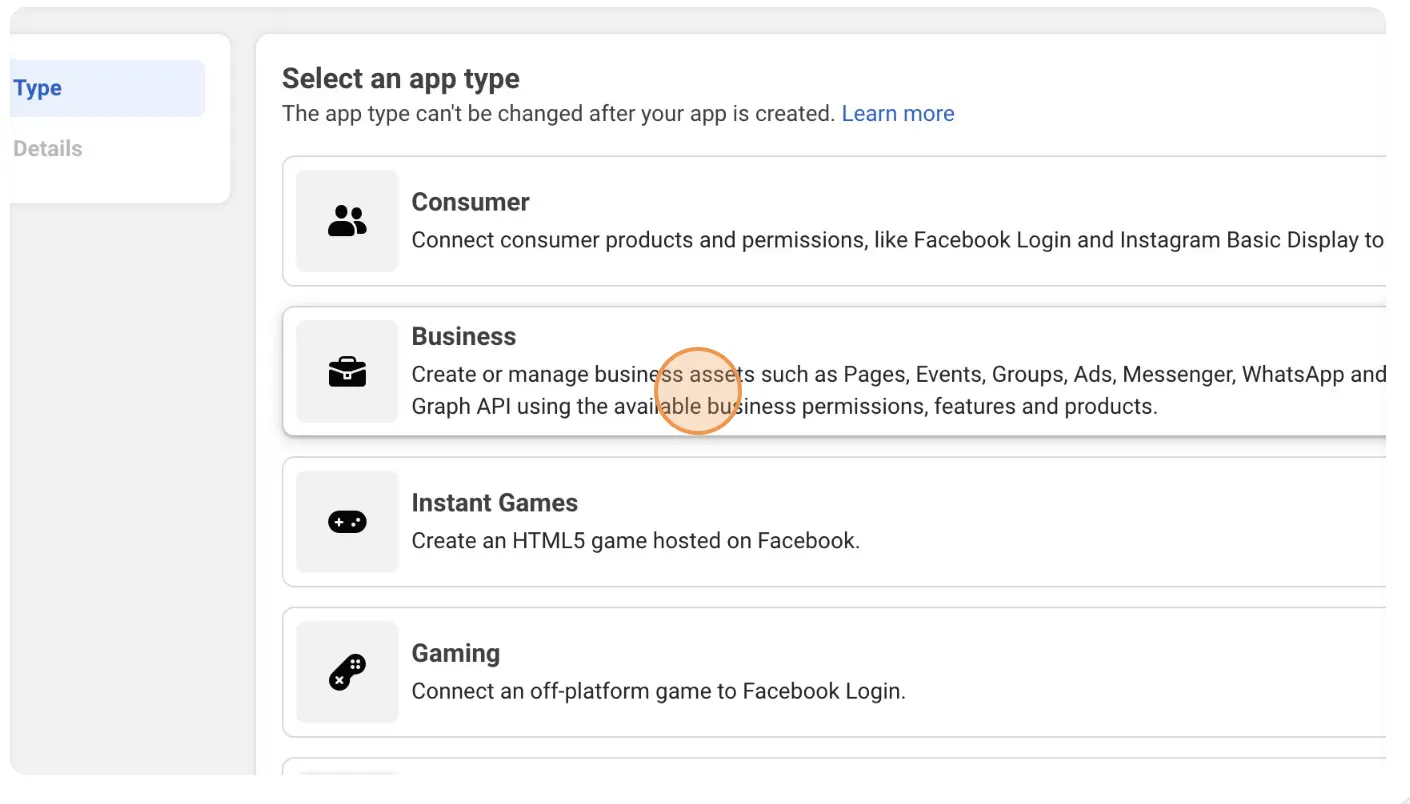
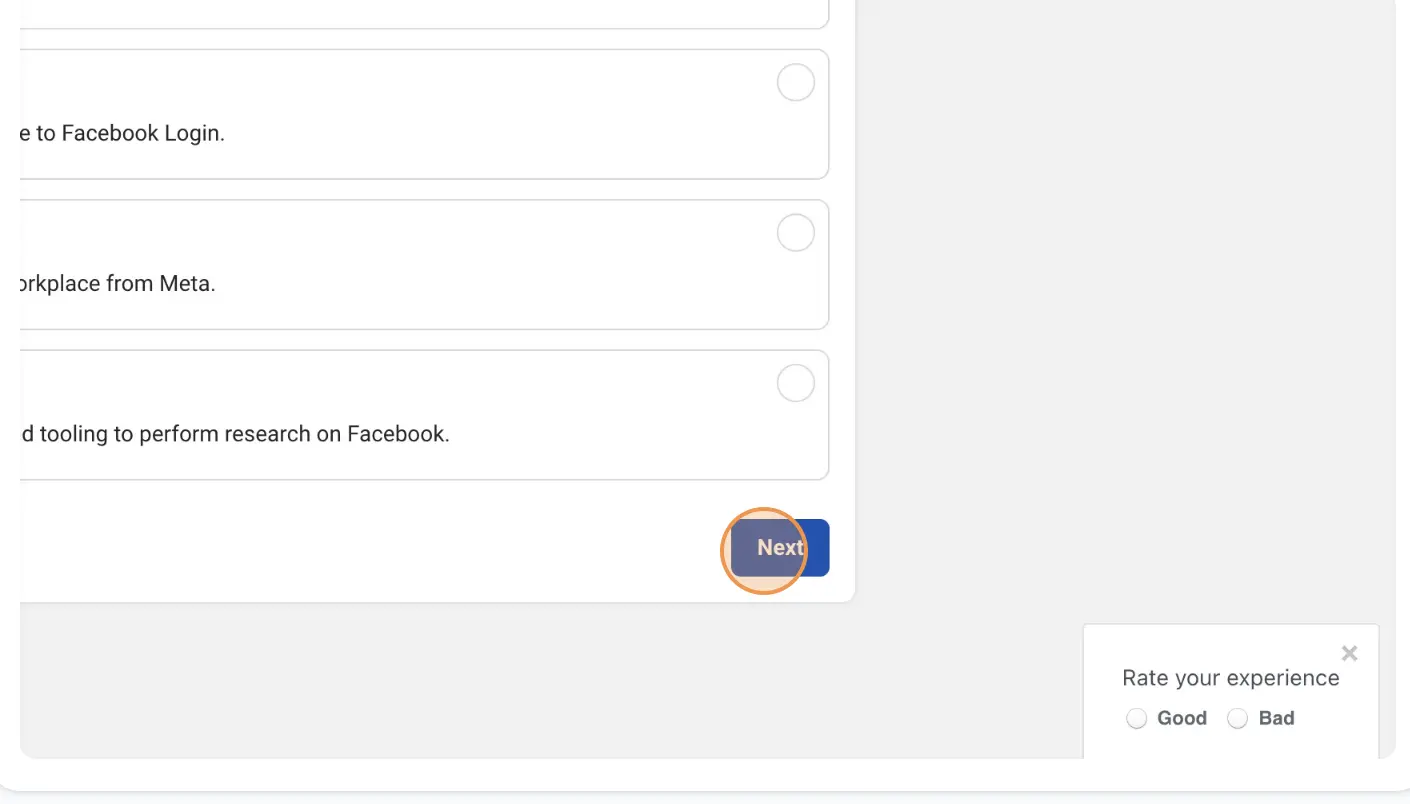
- Click “Next”
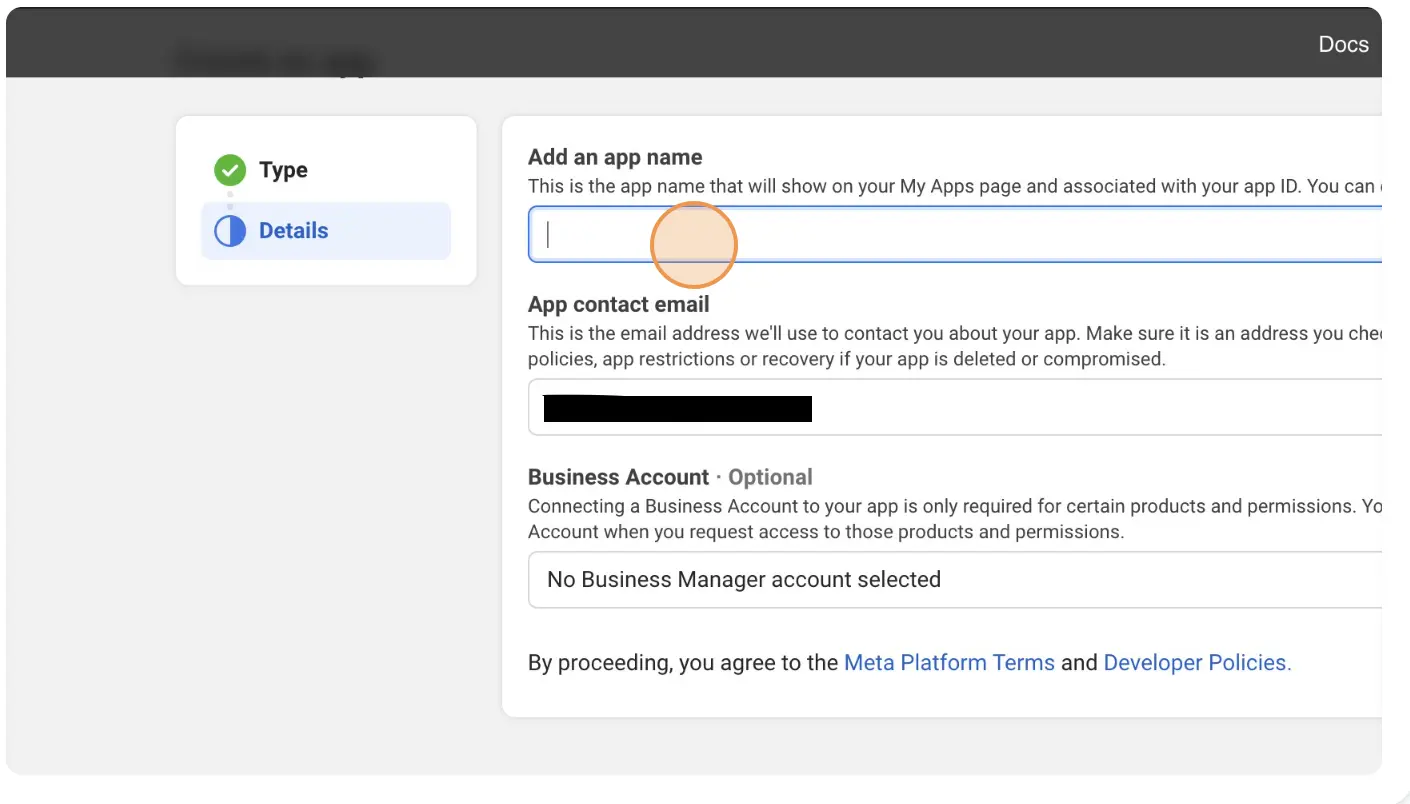
- Fill The form
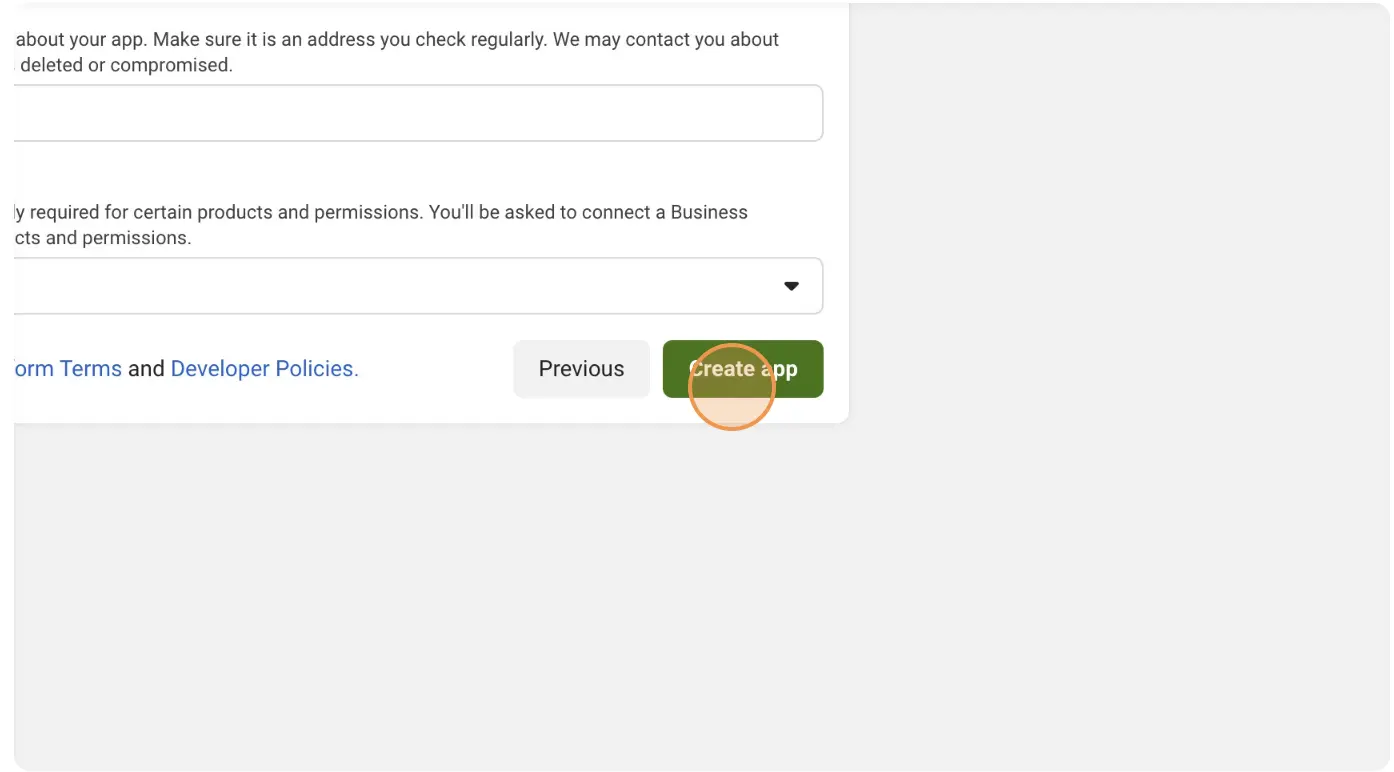
- Click on “Create app”
- You may ask to Login Again
- Navigate to the “My Apps” dashboard within your developer account.
Generate an API Access Token
- Go to “App Settings”
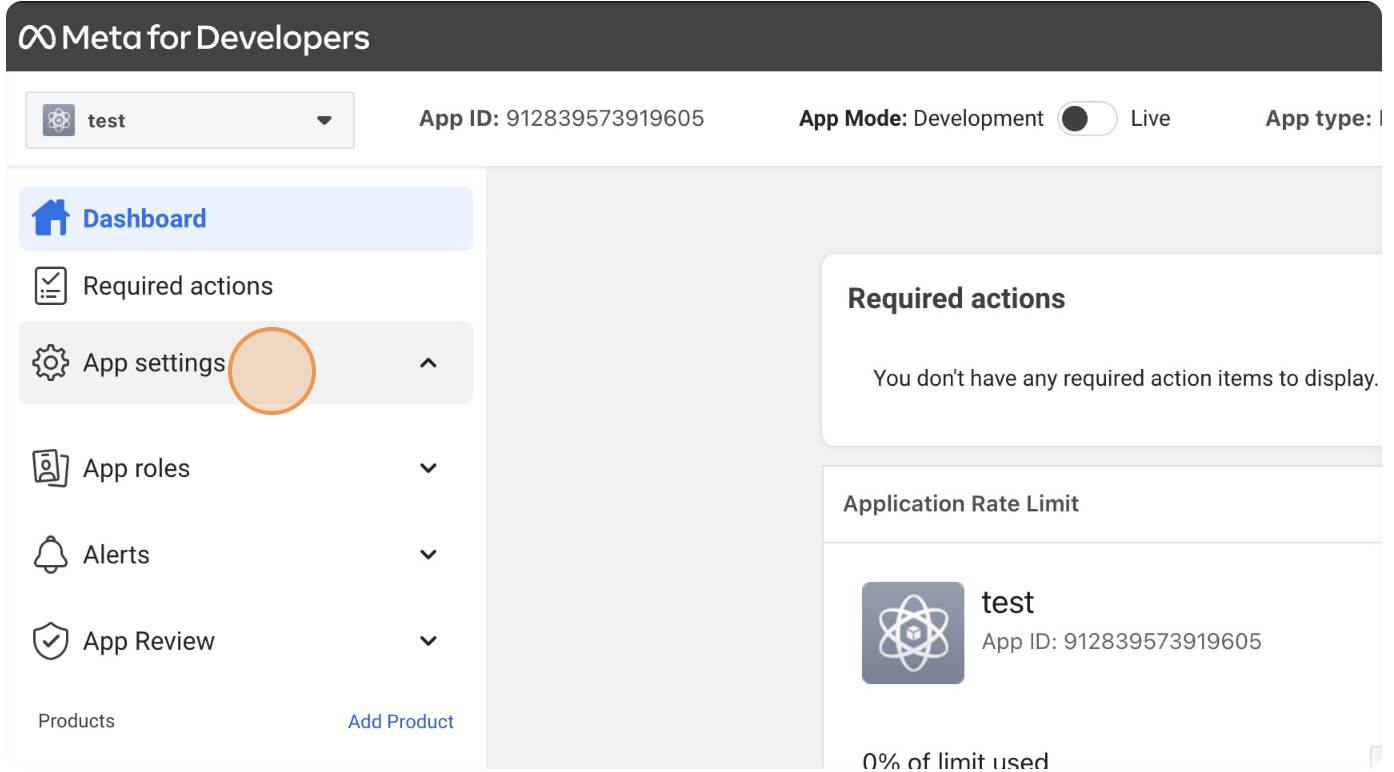
- Select “Basic”
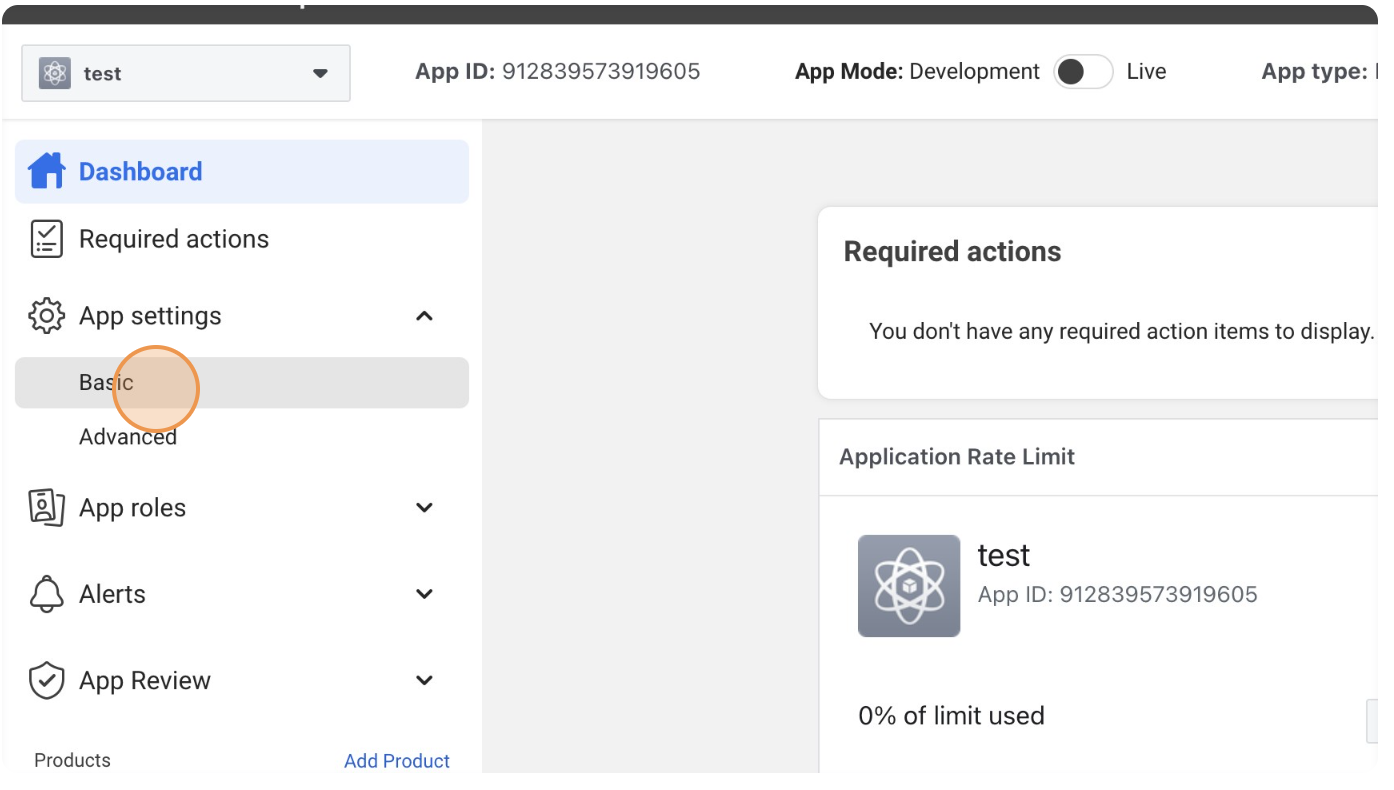
- Copy “App Id” and “App Secret”
- Go to “Meta Graph Explorer”
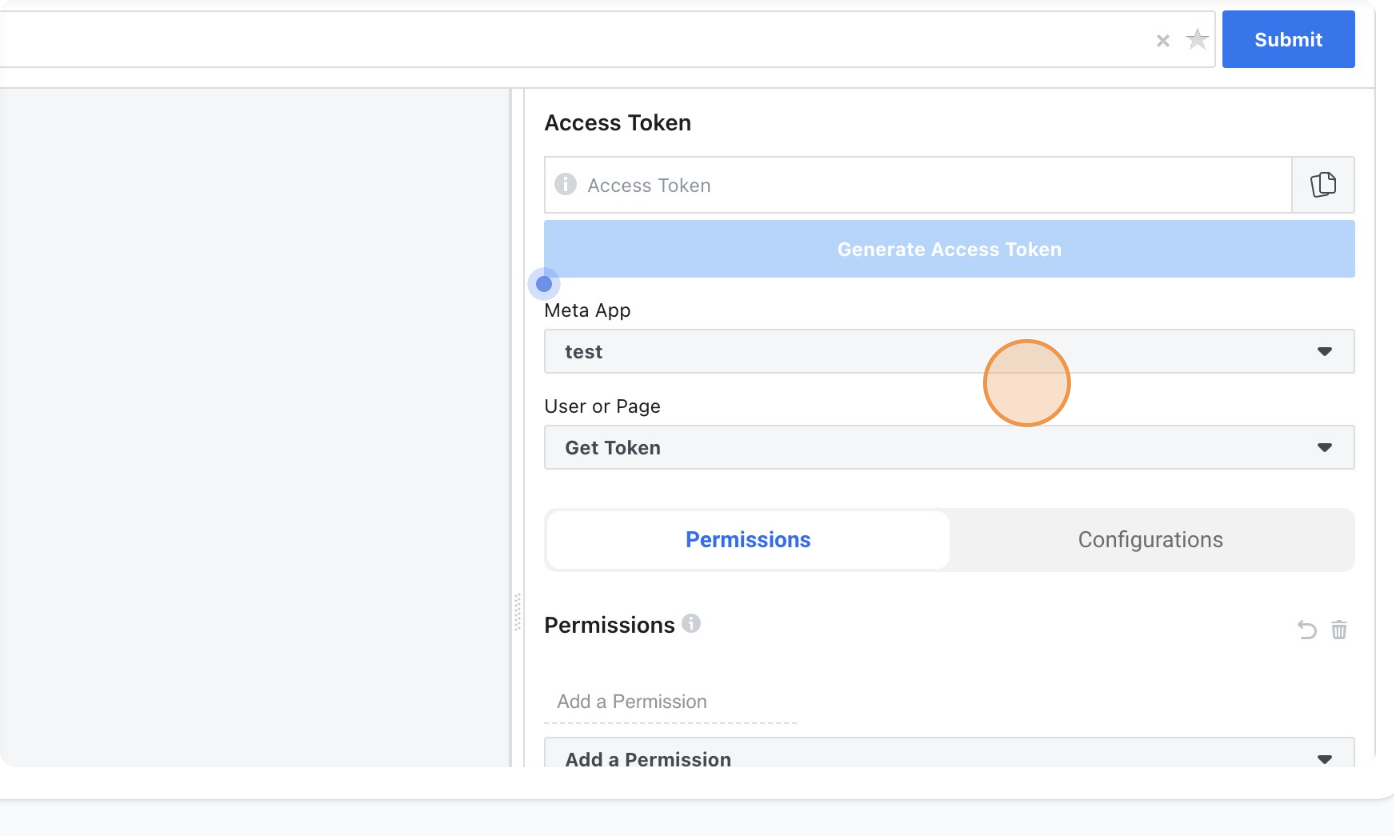
- Change “User or Page” to “Get Page Access Token”, this will ask you to select the page.
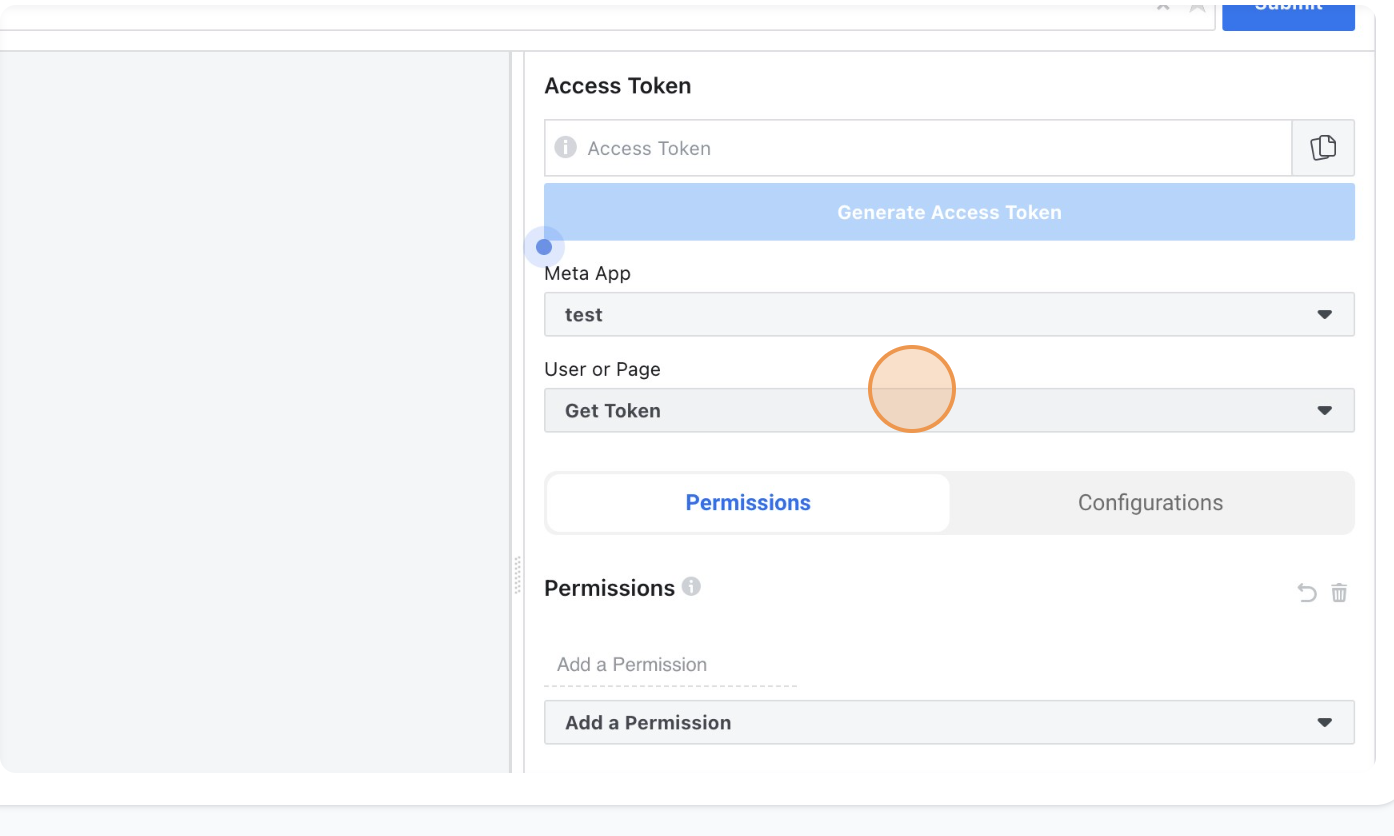
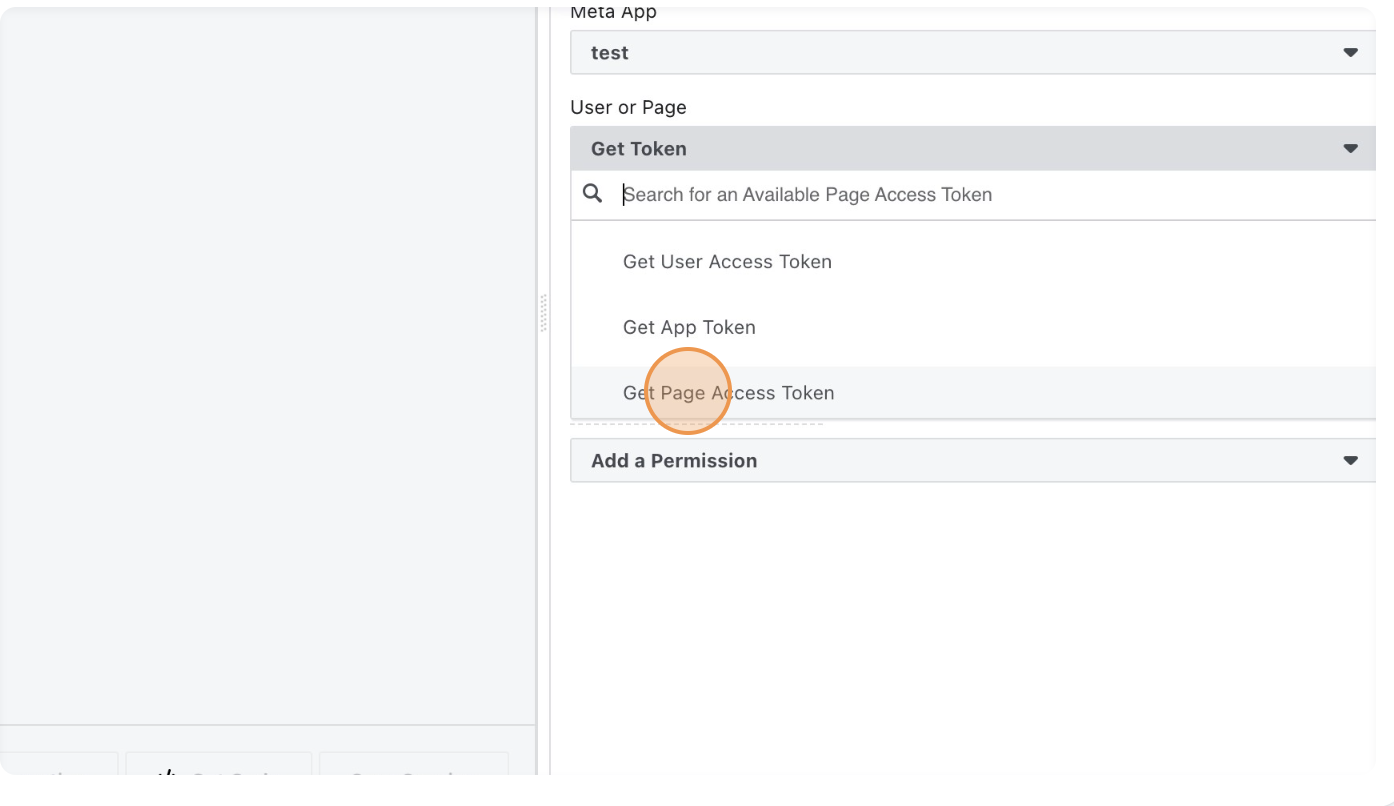
- Go to “Permissions” and “Add a Permission”, For automation we need pages_manage_posts permission
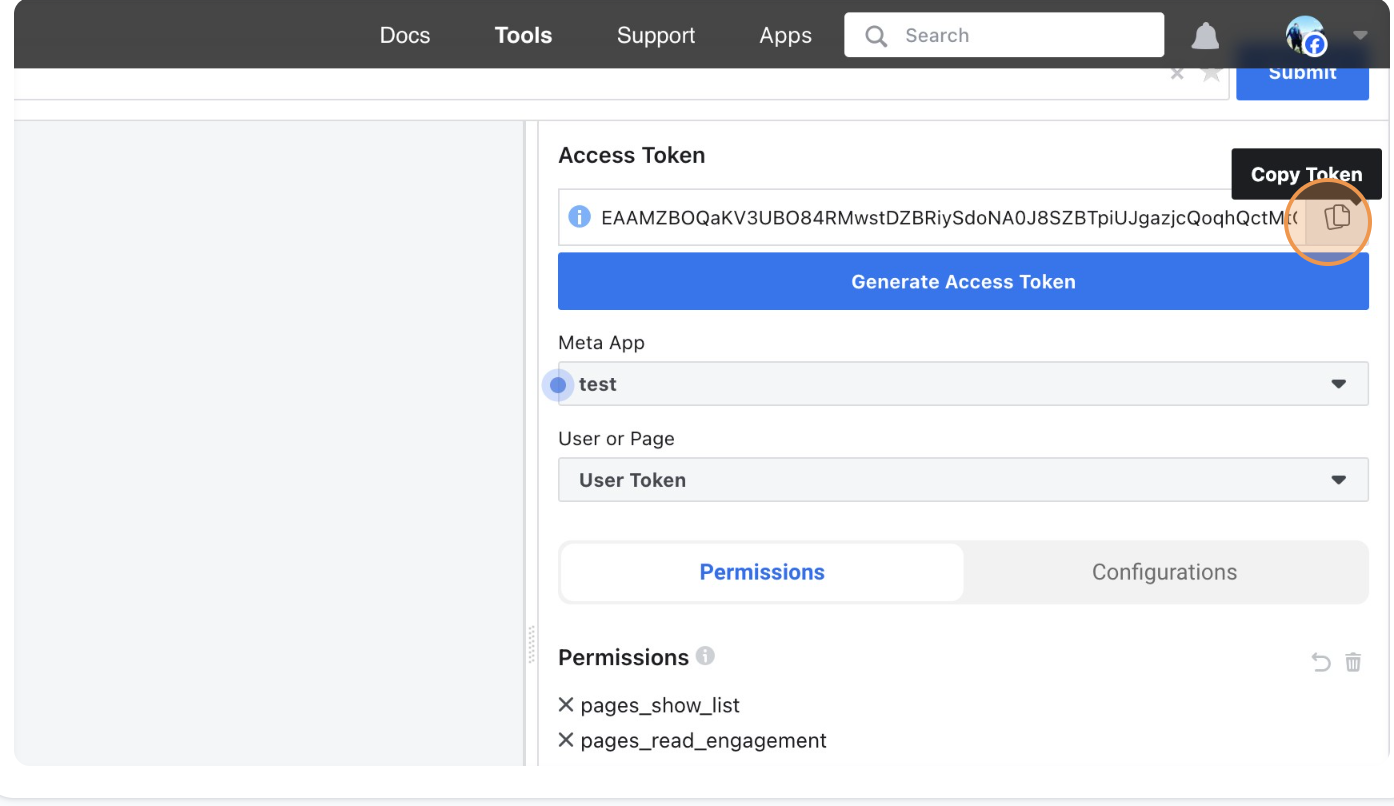
- Click on “Generate Access Token” and copy, this token is short lived so we need to generate a long living token
Get Long Lived Token
- Url : https://graph.facebook.com/oauth/access_token
- Method: GET
- Parameters:
- grant_type: fb_exchange_token
- client_id: APP_ID
- client_secret: APP_SECRET
- fb_exchange_token: SHORT_LIVED_TOKEN
Response
1
2
3
4
{
  "access_token": "",
  "token_type": "bearer"
}
Generate Page access token
- Get “Page Id” from Facebook
- Open Page on Facebook
- Click on “About” tab and select “Page transparency”
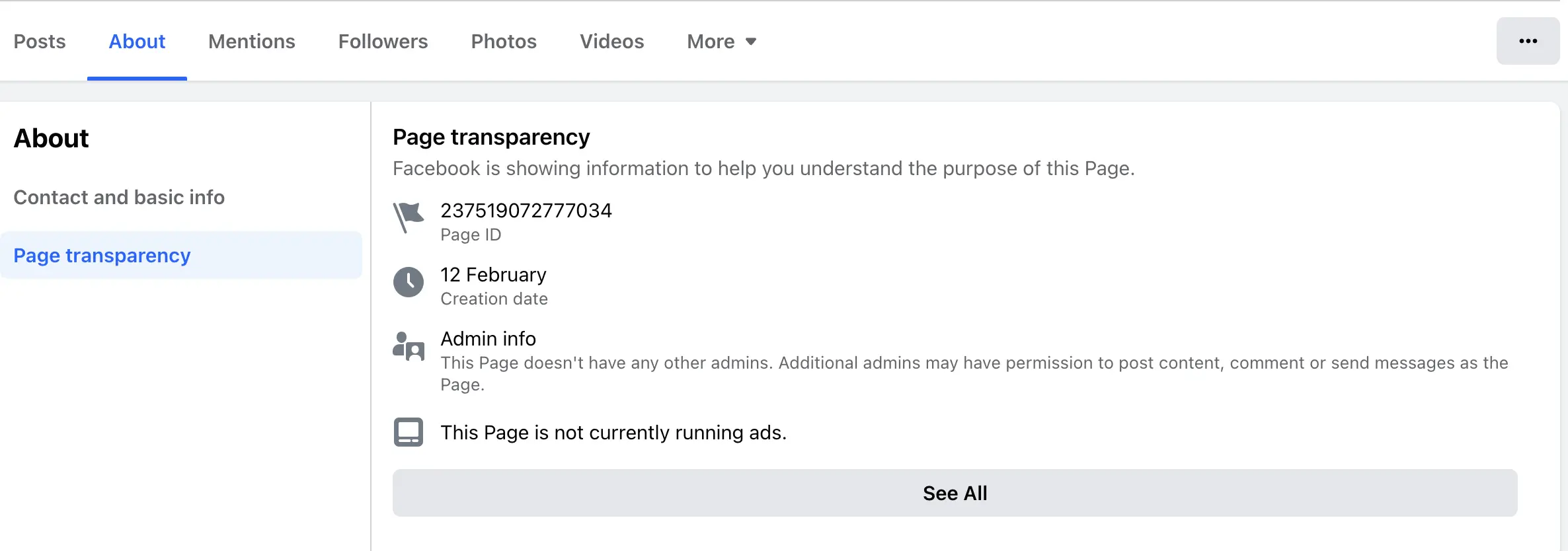
Copy the “PAGE ID”
Generate Token
- Url: https://graph.facebook.com/v19.0/PAGE_ID
- Method: GET
- Parameters:
- fields: access_token
- access_token: LONG_LIVED_USER_TOKEN from above step
Response
1
2
3
4
{
  "access_token": "",
  "id": ""
}
- Check access token on “Meta Token Debugger”, Make sure you have “pages_manage_posts” and Expire should be Never
- Go to “App Settings”
Securely Store Your Access Token
Treat your access token like a sensitive piece of information and store it securely. Avoid hardcoding tokens in your application code or sharing them indiscriminately.
Wrapping Up
Obtaining your API access token for post creation marks the initial step towards optimizing your Facebook Page’s performance through automation. In Part 2of this series, we’ll delve into leveraging your access token to programmatically create and schedule posts, empowering you to elevate your social media strategy.
Part 2 is out now.