Enterprise AI: Six Governance Controls Before Azure OpenAI Goes to Production in a Regulated Org
Governance checklist for Azure OpenAI in regulated enterprises: data residency, Entra ID, private network, prompt logging, content safety, human review.
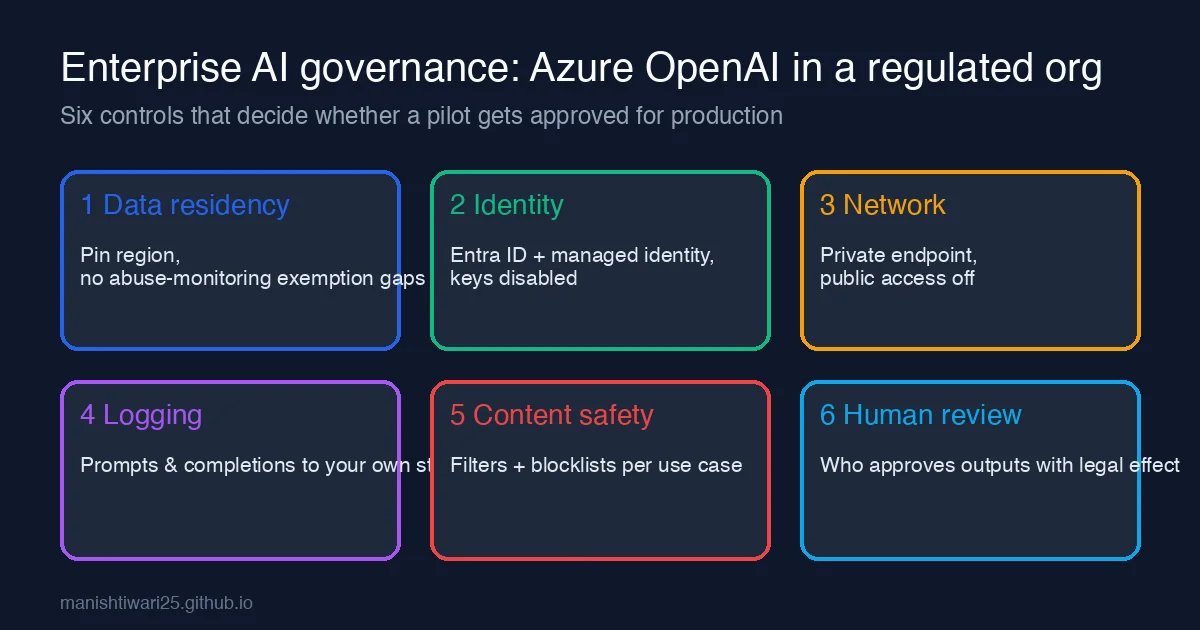
Most Azure OpenAI pilots in banks, insurers and healthcare organisations do not fail on model quality. They fail in the review meeting where security, legal and the data-protection officer ask questions the team has not prepared for. This post is the checklist I now bring to that meeting. Each control maps to a concrete Azure setting or a small piece of .NET code, so “we have governance” means something you can show, not a slide.
1. Data residency and retention
The first question is always “where does our data go?” Be ready with three facts:
- Region. Deploy the Azure OpenAI resource in the region your data classification allows (for EU data, Sweden Central or France Central are the usual picks). Standard deployments keep prompts and completions in that geography; Global and Data Zone deployment types may route inference elsewhere, so pick the deployment SKU deliberately, not by default.
- Training. Your prompts and completions are not used to train the models. Put the link to Microsoft’s data, privacy and security page for Azure OpenAI in the review document; reviewers want the vendor statement, not your paraphrase.
- Abuse monitoring. By default Microsoft may store prompts for up to 30 days for abuse monitoring. If your classification forbids that, apply for the modified abuse monitoring (limited access) exemption before the pilot, because approval takes weeks.
2. Identity: Entra ID only, API keys disabled
Shared API keys end up in a Teams chat within a month. Turn them off at the resource level and use managed identity:
1
2
3
az cognitiveservices account update \
  --name my-aoai --resource-group rg-ai \
  --disable-local-auth true
Then assign the calling app’s managed identity the Cognitive Services OpenAI User role and authenticate with DefaultAzureCredential:
1
2
3
4
5
6
using Azure.AI.OpenAI;
using Azure.Identity;

var client = new AzureOpenAIClient(
    new Uri("https://my-aoai.openai.azure.com/"),
    new DefaultAzureCredential());
If --disable-local-auth breaks something, you have just found an unmanaged consumer of the key. That is the point.
3. Network: private endpoint, public access off
Regulated reviewers expect the same posture as a database: no public endpoint. Create a private endpoint into the application VNet, point privatelink.openai.azure.com DNS at it, and set public network access to Disabled. The one exception that comes up is the Azure OpenAI Studio playground, which needs either a bastion/VPN path or a short-lived IP allow rule during development; write that exception down with an expiry date.
4. Logging you own, not just what Azure keeps
Diagnostic settings give you request metadata (latency, token counts, status), but not the prompt or completion text. For audit and incident response you usually need both, under your own retention policy. Log them yourself in a middleware or decorator around the client:
1
2
3
4
5
6
7
8
9
10
11
12
13
14
public async Task<string> CompleteAsync(string prompt, CancellationToken ct)
{
    var correlationId = Activity.Current?.Id ?? Guid.NewGuid().ToString();
    var response = await _chat.CompleteChatAsync(
        [new UserChatMessage(prompt)], cancellationToken: ct);
    var text = response.Value.Content[0].Text;

    await _auditStore.WriteAsync(new PromptAuditRecord(
        correlationId, _userContext.UserId, _deploymentName,
        prompt, text, response.Value.Usage.TotalTokenCount,
        DateTimeOffset.UtcNow), ct);

    return text;
}
Put the audit store (Cosmos DB, Log Analytics or Blob with immutability policy) under the same retention schedule as the business records it relates to, and redact PII before writing when the use case requires it. Reviewers care more that a retention decision exists than about which number you chose.
5. Content safety per use case
The built-in content filters are a baseline, not a policy. Create a dedicated content filter configuration per deployment and attach it explicitly:
- Internal developer assistant: default severity thresholds, prompt-shield on, no blocklist.
- Customer-facing chat: stricter thresholds, jailbreak and indirect prompt-injection detection on, custom blocklist for product names you are not allowed to discuss, and groundedness detection if you use RAG.
Handle the content_filter finish reason in code so users get an explanation instead of an empty bubble. I covered the error shape in an earlier post on Azure OpenAI content filtering in .NET.
6. Human review where output has legal effect
GDPR Article 22 and most sector regulators treat a decision “based solely on automated processing” differently from a recommendation a person acts on. Decide, per use case, which side you are on and make the architecture match it:
| Use case | Output class | Required control |
|---|---|---|
| Summarise a claim file for an adjuster | Draft for a human | Show source passages; log who accepted |
| Generate reply to customer complaint | Draft for a human | Send button is human-only; template disclaimer |
| Flag transactions for review | Recommendation | Human triage queue; model never auto-closes |
| Approve or deny anything | Decision | Do not use an LLM, or wrap it in a documented human approval step |
The last row is where pilots get rejected. If the business genuinely wants automated decisions, that is a separate risk assessment, not a prompt change.
Putting it on one page
Before the review meeting, fill in this table and attach it to the architecture document:
| Control | Evidence |
|---|---|
| Data residency | Resource region, deployment type, abuse-monitoring status |
| Identity | disableLocalAuth: true, role assignments list |
| Network | Private endpoint ID, publicNetworkAccess: Disabled |
| Logging | Audit store name, retention days, redaction rule |
| Content safety | Filter configuration name per deployment |
| Human review | Use-case table above with named approver roles |
Teams that arrive with this table usually leave the meeting with a conditional approval. Teams that arrive with a demo usually leave with a list of questions and a four-week delay. The model is the cheap part; the governance is what gets it into production.