Key based authentication is disabled for this resource
What the 'key based authentication is disabled for this resource' error means in Azure AI Services and how to switch to Entra ID authentication.
Why?
If you have disabled local auth(Disable local authentication in Azure AI Services), that means you can not use keys for AI service authentication.
How to fix?
Make sure when accessing the AI service API do not use api keys instead try to use Managed service identities.
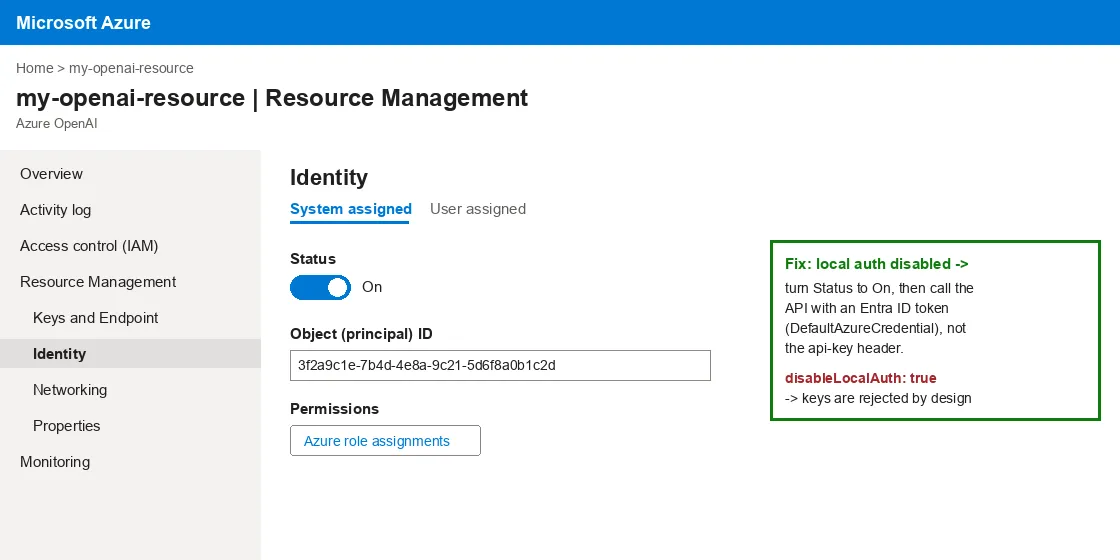
Go to Azure AI service (In this case, I am using Azure Open AI Service), and go to Resource Management and select Identity
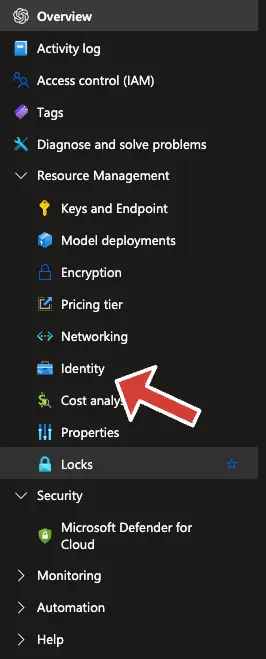
- Make sure you are in System Assigned Tab
- If the status is Off, please change it to On and save the generated ID for future use.
Once the identity is enabled, the fix on your screen looks like this: the System assigned status is On and an Object (principal) ID is shown. Keys stay disabled (disableLocalAuth: true), so your application must now call the API with an Entra ID token (for example DefaultAzureCredential in the Azure SDK) instead of the api-key header: