Counting Tokens and Controlling Azure OpenAI Cost in .NET
Count Azure OpenAI tokens offline in .NET with Tiktoken, trim chat history, cap output tokens and cache repeats to keep the bill predictable.
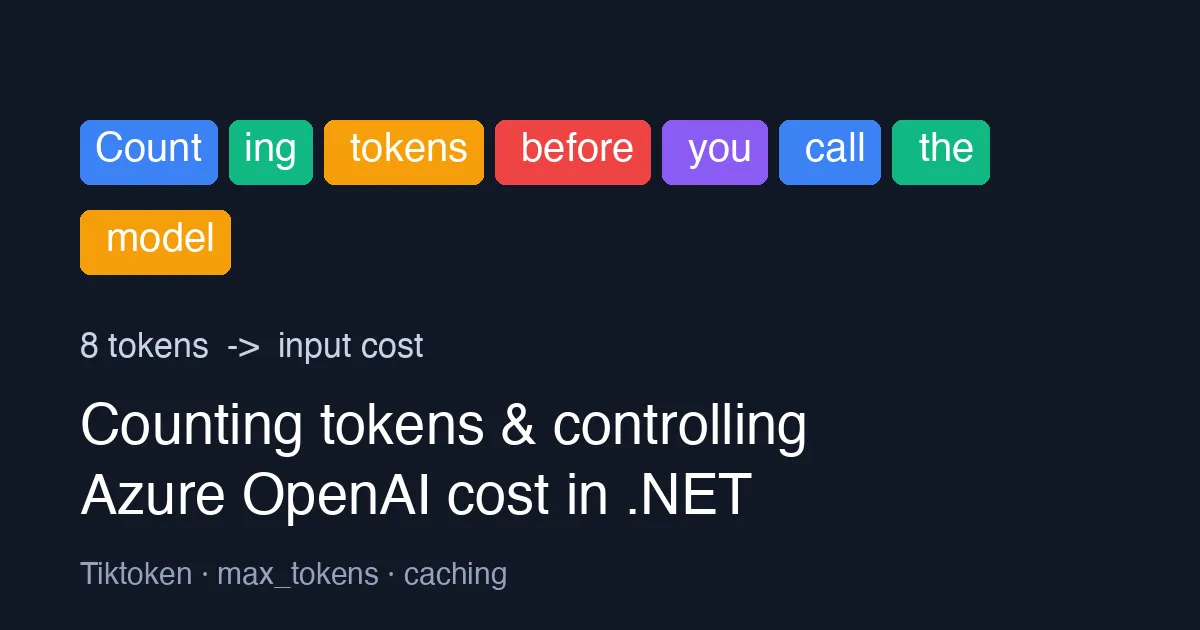
Azure OpenAI bills you per token, not per request. The first time a team ships a chat feature, the surprise usually comes a month later on the invoice: a long system prompt that is resent on every turn, conversation history that is never trimmed, and completions with no upper bound. This post shows how to count tokens before you call the model from .NET, and three cheap habits that keep the bill predictable.
What a token is (and why it matters)
A token is a chunk of text - roughly 4 characters of English, or about ¾ of a word. The sentence Counting tokens before you call the model is 8 tokens. Every request is billed on input tokens + output tokens, and each model has a context window (for example 128k tokens for gpt-4o) that input and output must fit into together.
Two consequences follow:
- You pay for your system prompt on every call, because the API is stateless.
- If the input is too long the request fails with a
context_length_exceedederror - after you have already sent it.
Counting tokens locally with Tiktoken
The Microsoft.ML.Tokenizers package ships the same BPE tokenizers OpenAI models use, so you can count offline without an API call:
1
2
3
4
5
6
7
8
9
using Microsoft.ML.Tokenizers;

// gpt-4o and gpt-4o-mini use the o200k_base encoding; gpt-4 / gpt-3.5 use cl100k_base
Tokenizer tokenizer = TiktokenTokenizer.CreateForModel("gpt-4o");

string prompt = "Counting tokens before you call the model";
int count = tokenizer.CountTokens(prompt);

Console.WriteLine($"{count} tokens"); // 8 tokens
For a chat request the total is slightly higher than the sum of the message texts, because each message carries a few framing tokens for the role. A safe approximation that matches the API within a token or two per message:
1
2
3
4
5
6
7
8
9
10
11
12
13
14
static int EstimateChatTokens(Tokenizer tokenizer, IEnumerable<(string Role, string Content)> messages)
{
    const int tokensPerMessage = 3; // <|start|>role<|separator|> ... <|end|>
    const int replyPrimer = 3;      // every reply is primed with <|start|>assistant<|message|>

    int total = replyPrimer;
    foreach (var (role, content) in messages)
    {
        total += tokensPerMessage;
        total += tokenizer.CountTokens(role);
        total += tokenizer.CountTokens(content);
    }
    return total;
}
Compare the estimate against usage.PromptTokens in the response the first few times; if it drifts, adjust the constants for the model you use.
Habit 1: trim history before it grows
Chat history is the most common leak. Keep the system prompt, then drop the oldest turns until the estimate fits a budget you choose (not the model maximum - leave room for the answer):
1
2
3
4
5
6
7
8
9
10
11
12
13
14
static List<(string Role, string Content)> FitToBudget(
    Tokenizer tokenizer,
    List<(string Role, string Content)> messages,
    int inputBudget)
{
    var trimmed = new List<(string, string)>(messages);

    // index 0 is the system prompt; remove the oldest user/assistant pairs after it
    while (trimmed.Count > 2 && EstimateChatTokens(tokenizer, trimmed) > inputBudget)
    {
        trimmed.RemoveAt(1);
    }
    return trimmed;
}
A budget of 4,000 input tokens is plenty for most support and Q&A scenarios and is an order of magnitude cheaper than letting a 128k window fill up.
Habit 2: always set MaxOutputTokenCount
Output tokens cost more than input tokens on every Azure OpenAI price tier. Without a cap the model decides how long the answer is. With the Azure.AI.OpenAI SDK:
1
2
3
4
5
6
7
8
9
10
11
12
13
14
15
using Azure.AI.OpenAI;
using OpenAI.Chat;

var client = new AzureOpenAIClient(new Uri(endpoint), new DefaultAzureCredential());
ChatClient chat = client.GetChatClient("gpt-4o-mini");

var options = new ChatCompletionOptions
{
    MaxOutputTokenCount = 300,   // hard ceiling on what you pay for the answer
    Temperature = 0.2f
};

ChatCompletion completion = await chat.CompleteChatAsync(messages, options);

Console.WriteLine($"in={completion.Usage.InputTokenCount} out={completion.Usage.OutputTokenCount}");
Check completion.FinishReason == ChatFinishReason.Length to detect a truncated answer and either raise the cap for that call or ask the model to continue.
Habit 3: cache identical requests
A surprising share of production prompts are repeats: the same FAQ question, the same document summarised twice, the same classification input. Hash the final message list plus model name and keep the answer in a distributed cache:
1
2
3
4
5
6
7
8
9
10
11
12
string key = Convert.ToHexString(
    SHA256.HashData(Encoding.UTF8.GetBytes(model + JsonSerializer.Serialize(messages))));

string? cached = await cache.GetStringAsync(key);
if (cached is not null) return cached;

string answer = (await chat.CompleteChatAsync(messages, options)).Value.Content[0].Text;
await cache.SetStringAsync(key, answer, new DistributedCacheEntryOptions
{
    AbsoluteExpirationRelativeToNow = TimeSpan.FromHours(6)
});
return answer;
Use a low temperature (or 0) for cached endpoints so the answer is stable enough to be worth reusing. Also note that Azure OpenAI applies prompt caching automatically on supported models when the first 1,024+ tokens of a prompt repeat exactly - so put the static system prompt first and the variable user content last.
Log the usage on every call
Whatever else you do, log Usage.InputTokenCount and Usage.OutputTokenCount with a correlation id per feature. Turn those into a metric and you will see which feature is expensive weeks before finance does. The Usage object is returned on every completion at no extra cost, so there is no reason not to.
Summary
| Habit | What it protects against |
|---|---|
Count tokens with Microsoft.ML.Tokenizers | context_length_exceeded and blind cost estimates |
| Trim history to an input budget | Unbounded growth of chat cost per turn |
Set MaxOutputTokenCount | Paying for answers nobody reads |
| Cache identical requests | Paying twice for the same answer |
Log Usage per feature | Finding the expensive feature early |
None of these need a new service or a bigger quota. They are a few lines of C# each, and together they make the Azure OpenAI line on the invoice something you can forecast instead of dread.
If you are new to Azure OpenAI, read Things to Consider Before Using Azure OpenAI in Your Organization first for the security and compliance side of the same decision.