Streaming Azure OpenAI Responses in .NET: First Token in Under a Second
Stream Azure OpenAI chat completions in C# with IAsyncEnumerable, forward them to browsers over Server-Sent Events, and handle cancellation and errors.
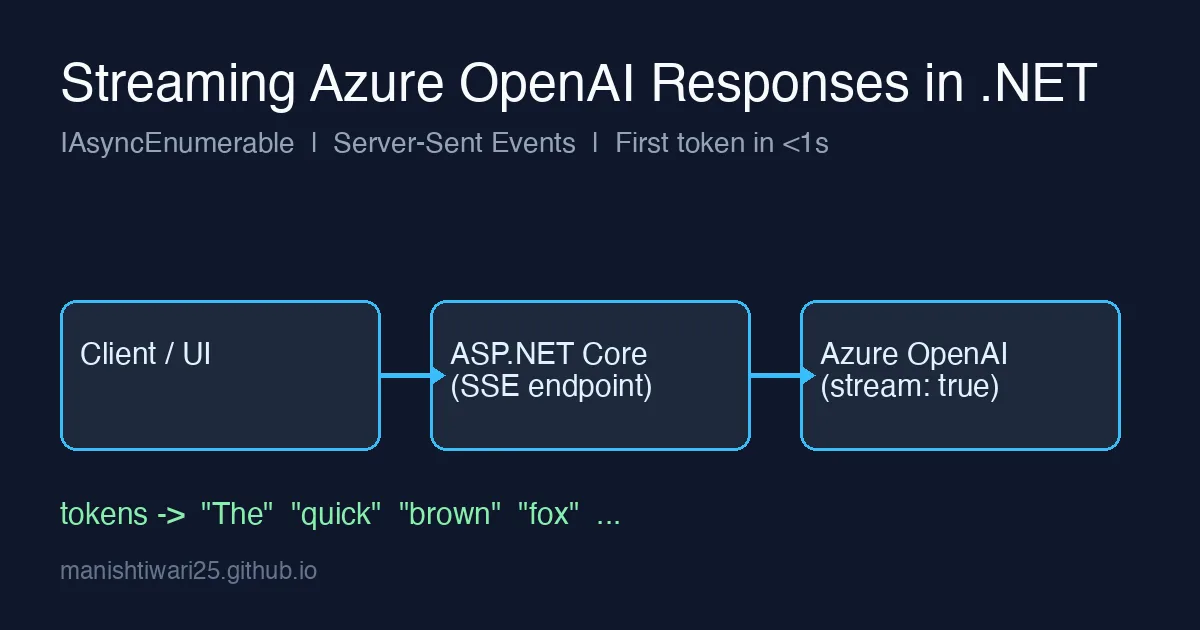
A non-streaming chat completion that takes eight seconds feels broken, even when the answer is good. The same answer streamed token by token feels fast, because the user starts reading after a few hundred milliseconds. Streaming does not make the model faster; it changes perceived latency, and for chat-style UIs that is the metric that matters.
This post shows how to consume Azure OpenAI’s streaming API from .NET, expose it from ASP.NET Core as Server-Sent Events (SSE), and deal with the parts people forget: cancellation, errors that arrive halfway through, and usage numbers that only show up in the final chunk.
How streaming works on the wire
With stream: true, Azure OpenAI keeps the HTTP response open and sends a sequence of data: events. Each event carries a small JSON chat.completion.chunk with a delta (usually a few characters of content). The stream ends with a literal data: [DONE] line. You do not have to parse this yourself: the Azure.AI.OpenAI SDK exposes it as an IAsyncEnumerable.
Consuming the stream with the SDK
1
2
3
4
5
6
7
8
9
10
11
12
13
14
15
16
17
18
19
20
21
22
23
24
using Azure;
using Azure.AI.OpenAI;
using OpenAI.Chat;

var client = new AzureOpenAIClient(
    new Uri(Environment.GetEnvironmentVariable("AZURE_OPENAI_ENDPOINT")!),
    new DefaultAzureCredential());

ChatClient chat = client.GetChatClient("gpt-4o-mini"); // deployment name

var messages = new List<ChatMessage>
{
    new SystemChatMessage("You are a concise assistant."),
    new UserChatMessage("Explain Server-Sent Events in three sentences.")
};

await foreach (StreamingChatCompletionUpdate update in
               chat.CompleteChatStreamingAsync(messages, cancellationToken: ct))
{
    foreach (ChatMessageContentPart part in update.ContentUpdate)
    {
        Console.Write(part.Text);
    }
}
Two things to notice:
ContentUpdateis a list; it is usually one part, but code that assumes exactly one will break on empty keep-alive chunks.- The first chunks frequently contain no text at all (only a
role). Do not treat an empty delta as “the model is done”.
Forwarding the stream from ASP.NET Core as SSE
Browsers have a built-in EventSource API, so SSE is the simplest transport for one-directional token streams. No SignalR, no WebSockets.
1
2
3
4
5
6
7
8
9
10
11
12
13
14
15
16
17
18
19
20
21
22
23
24
25
26
27
28
29
30
31
32
33
app.MapPost("/chat/stream", async (
    ChatRequest req, ChatClient chat, HttpContext http, CancellationToken ct) =>
{
    http.Response.Headers.ContentType = "text/event-stream";
    http.Response.Headers.CacheControl = "no-cache";
    http.Response.Headers["X-Accel-Buffering"] = "no"; // disable proxy buffering

    var messages = new List<ChatMessage> { new UserChatMessage(req.Prompt) };

    try
    {
        await foreach (var update in chat.CompleteChatStreamingAsync(messages, cancellationToken: ct))
        {
            foreach (var part in update.ContentUpdate)
            {
                if (string.IsNullOrEmpty(part.Text)) continue;
                var payload = JsonSerializer.Serialize(new { text = part.Text });
                await http.Response.WriteAsync($"data: {payload}\n\n", ct);
                await http.Response.Body.FlushAsync(ct);
            }
        }
        await http.Response.WriteAsync("event: done\ndata: {}\n\n", ct);
    }
    catch (OperationCanceledException)
    {
        // client closed the tab: nothing to send, just stop billing tokens
    }
    catch (RequestFailedException ex)
    {
        var err = JsonSerializer.Serialize(new { message = ex.Message, status = ex.Status });
        await http.Response.WriteAsync($"event: error\ndata: {err}\n\n", CancellationToken.None);
    }
});
FlushAsync after every event is what makes it stream. Without it, Kestrel buffers and the browser receives everything at once at the end, which is the same as not streaming.
Serialize the delta as JSON instead of writing raw text: an SSE data: line cannot contain a newline, and model output has plenty of them.
Cancellation: stop paying when the user leaves
HttpContext.RequestAborted is passed automatically as the CancellationToken ct in minimal APIs. Forwarding it into CompleteChatStreamingAsync closes the upstream connection when the browser disconnects, so Azure stops generating and you stop paying for tokens nobody will read. Forget the token and every abandoned request runs to max_tokens.
Errors in the middle of a stream
The HTTP status code is sent before the first chunk, so it will be 200 even if the request later fails with a content-filter block or a transient upstream error. You will see this as an exception thrown from await foreach, not as a failed status. Handle it as above by emitting a custom error event; the client already has partial text on screen and needs to know the answer is incomplete.
Content filtering is the common case: the stream stops and update.FinishReason is ContentFilter. Check it and show the user something clearer than a truncated sentence.
Token usage with streaming
By default, streaming chunks do not contain usage. Request it explicitly:
1
2
3
4
var options = new ChatCompletionOptions
{
    StreamOptions = new ChatCompletionStreamOptions { IncludeUsage = true }
};
The final chunk (with an empty choices array) then carries Usage.InputTokenCount and OutputTokenCount, so you can log cost per request the same way as non-streaming calls.
Consuming it in the browser
1
2
3
4
5
6
7
8
9
10
11
12
13
14
15
16
17
18
19
const res = await fetch("/chat/stream", {
  method: "POST",
  headers: { "Content-Type": "application/json" },
  body: JSON.stringify({ prompt })
});
const reader = res.body.getReader();
const decoder = new TextDecoder();
let buffer = "";
while (true) {
  const { value, done } = await reader.read();
  if (done) break;
  buffer += decoder.decode(value, { stream: true });
  let idx;
  while ((idx = buffer.indexOf("\n\n")) >= 0) {
    const event = buffer.slice(0, idx); buffer = buffer.slice(idx + 2);
    const data = event.split("\n").find(l => l.startsWith("data: "));
    if (data && !event.startsWith("event: done")) output.textContent += JSON.parse(data.slice(6)).text ?? "";
  }
}
EventSource only supports GET, so for POST bodies use fetch and parse the frames yourself as shown.
Checklist
- Flush after every event, and disable buffering on any reverse proxy in front of Kestrel.
- Pass
RequestAbortedall the way to the SDK call. - Treat exceptions during
await foreachas mid-stream failures and tell the user. - Set
IncludeUsage = trueif you track cost. - Keep the non-streaming path for background jobs: streaming only helps when a human is watching.
Streaming is a small amount of code for a large improvement in how responsive an AI feature feels. Pair it with the retry strategy from the 429 rate-limit post and you have the two pieces every production chat endpoint needs.