Handling 429 Rate Limits from Azure OpenAI in .NET: Backoff That Actually Works
Why Azure OpenAI returns 429 even under quota, how to honour Retry-After with exponential backoff and jitter in C#, and what the SDK already does for you.
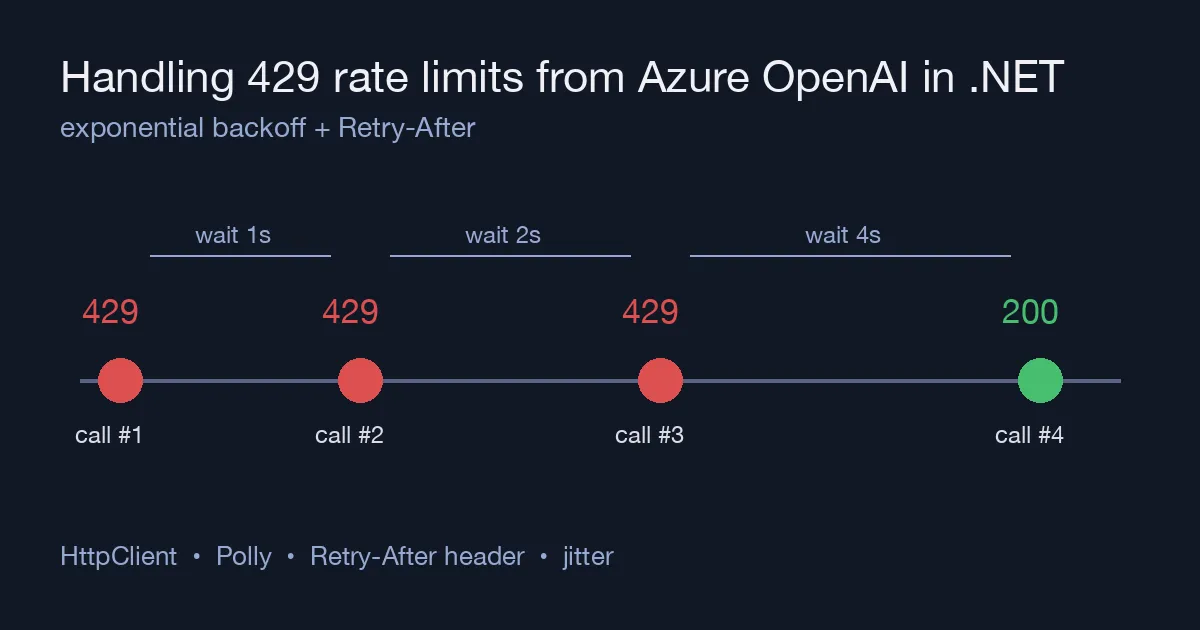
The first time an Azure OpenAI integration goes to production, somebody demos it to a room, ten people click at once, and the app shows a red banner: 429 Too Many Requests. Nothing is wrong with the code. The deployment simply has a tokens-per-minute (TPM) quota, and a burst of requests can exhaust it in seconds even when the monthly bill is tiny.
This post explains what the 429 really means, how to retry it properly from .NET, and where the boundary sits between what the SDK does for you and what you still have to build.
Why you get 429 when you are “under quota”
An Azure OpenAI deployment has two limits that are derived from each other:
| Limit | Unit | Notes |
|---|---|---|
| Tokens per minute (TPM) | tokens | The quota you assign in the portal |
| Requests per minute (RPM) | requests | Derived, roughly 6 RPM per 1,000 TPM |
Both are enforced over short windows (seconds, not minutes), and the service estimates the tokens a request will use from max_tokens and the prompt before it runs. So a request with MaxOutputTokenCount = 4000 reserves 4,000 output tokens against the quota even if the model replies with one sentence. Five of those in the same second on a 20k TPM deployment is already a 429.
The response carries a Retry-After header (seconds) and, on most deployments, x-ratelimit-remaining-requests / x-ratelimit-remaining-tokens. Honouring Retry-After is the single most important part of a correct retry.
What the SDK already does
The Azure.AI.OpenAI client sits on System.ClientModel, which has a built-in retry pipeline: by default it retries 429, 408, 500, 502, 503 and 504 up to 3 times with exponential backoff starting at 0.8 seconds, and it honours Retry-After when present.
1
2
3
4
5
6
7
8
9
var options = new AzureOpenAIClientOptions
{
    RetryPolicy = new ClientRetryPolicy(maxRetries: 5)
};

var client = new AzureOpenAIClient(
    new Uri(endpoint),
    new DefaultAzureCredential(),
    options);
For a low-traffic app this is often enough. Raise maxRetries and you are done. The problems start when many callers share one deployment: three retries at 0.8s, 1.6s and 3.2s do not help if the quota window is still saturated, and every retry consumes RPM that the other callers needed.
Building the retry yourself with Polly
When you need control, disable the SDK retry (maxRetries: 0) and put a Polly resilience pipeline around the call so the policy lives in one place and is visible in logs and metrics.
1
2
3
4
5
6
7
8
9
10
11
12
13
14
15
16
17
18
19
20
21
22
23
24
25
26
27
28
29
30
31
32
33
34
35
36
using Polly;
using Polly.Retry;
using System.ClientModel;

ResiliencePipeline<ChatCompletion> pipeline = new ResiliencePipelineBuilder<ChatCompletion>()
    .AddRetry(new RetryStrategyOptions<ChatCompletion>
    {
        MaxRetryAttempts = 6,
        BackoffType = DelayBackoffType.Exponential,
        Delay = TimeSpan.FromSeconds(1),
        UseJitter = true,
        ShouldHandle = new PredicateBuilder<ChatCompletion>()
            .Handle<ClientResultException>(ex => ex.Status is 429 or 503),
        DelayGenerator = args =>
        {
            // Prefer the server's Retry-After over our own schedule
            if (args.Outcome.Exception is ClientResultException ex
                && ex.GetRawResponse()?.Headers.TryGetValue("Retry-After", out var value) == true
                && int.TryParse(value, out var seconds))
            {
                return ValueTask.FromResult<TimeSpan?>(TimeSpan.FromSeconds(seconds));
            }
            return ValueTask.FromResult<TimeSpan?>(null); // fall back to exponential + jitter
        },
        OnRetry = args =>
        {
            logger.LogWarning("Azure OpenAI throttled, attempt {Attempt}, waiting {Delay}",
                args.AttemptNumber, args.RetryDelay);
            return ValueTask.CompletedTask;
        }
    })
    .Build();

ChatCompletion completion = await pipeline.ExecuteAsync(
    async ct => (await chatClient.CompleteChatAsync(messages, chatOptions, ct)).Value,
    cancellationToken);
Three details matter here:
UseJitter = true. Without jitter, every caller that was throttled at the same moment retries at the same moment, and you get a second wave of 429s. Jitter spreads them out.Retry-Afterwins. The service knows when the window resets; your exponential curve is a guess. Use the header when it is there.- A hard cap on attempts. Six attempts with 1s base and doubling is roughly a minute of waiting. Past that, fail and let the user or queue decide; retrying forever hides an under-provisioned deployment.
Stop the burst before it happens
Retries fix the symptom. Two changes fix the cause.
Bound concurrency. A SemaphoreSlim or Polly’s AddConcurrencyLimiter in front of the pipeline keeps the number of in-flight requests below what the deployment can absorb. Ten queued requests that run four at a time finish faster than ten that all fail and retry.
1
.AddConcurrencyLimiter(permitLimit: 4, queueLimit: 100)
Set a realistic MaxOutputTokenCount. Because the quota check uses the reserved output size, a 300-token cap on a summarisation call frees up to 10x the headroom of a 4,000-token default. See Counting Tokens and Controlling Azure OpenAI Cost in .NET for the token side of this.
If you are already doing both and still see sustained 429s, the deployment is under-provisioned: raise TPM in the portal, or split traffic across two regions with the same model behind a simple round-robin.
Summary
| Symptom | Fix |
|---|---|
| Occasional 429 on a quiet app | Raise ClientRetryPolicy(maxRetries) on the SDK |
| Bursts of 429 with many callers | Polly retry with jitter, honouring Retry-After |
| Retry storms | Concurrency limiter in front of the call |
| 429 with low request count | Lower MaxOutputTokenCount; quota is reserved up front |
| Sustained 429 after all of the above | More TPM or a second deployment |
A 429 from Azure OpenAI is not an error in your code. It is the service telling you how fast it can go. Treat the Retry-After header as the source of truth, add jitter, cap the attempts, and the red banner in the demo becomes a two-second pause nobody notices.