Prompt Template Editor and Prompt Diff: Treating Prompts Like Code Before They Reach Production
How the Lamplit Labs Prompt Template Editor renders {{variable}} templates into chat messages, and how Prompt Diff shows what changed between versions.
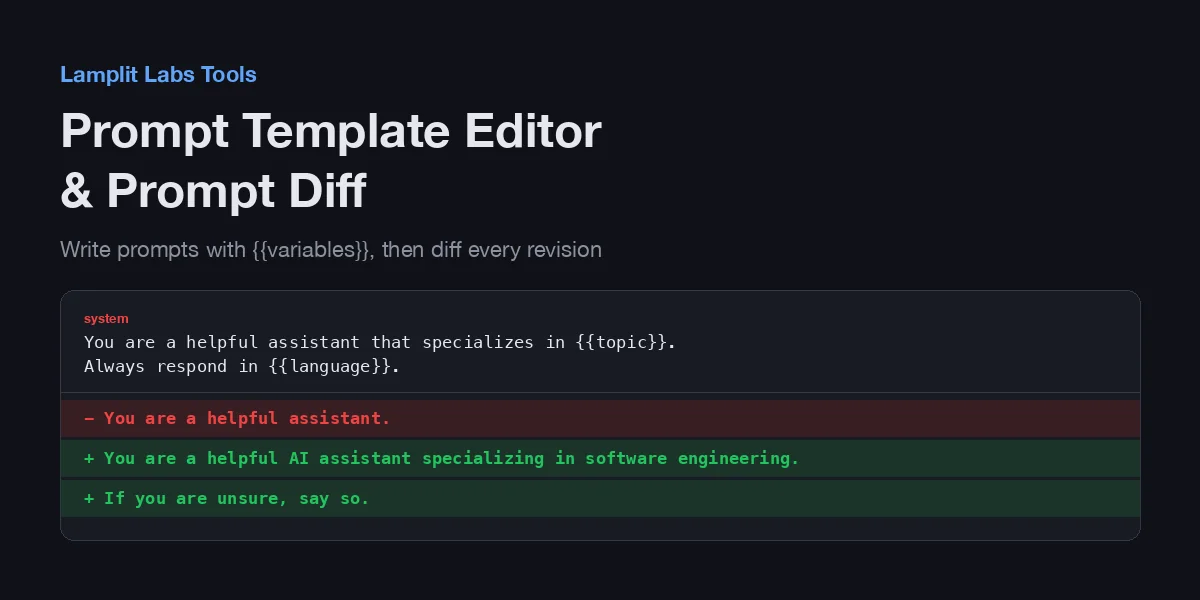
A prompt is the only part of most LLM features that never goes through code review. The system message lives in a string constant, someone tweaks a sentence to fix one bad answer, and three weeks later nobody can say which wording shipped or why the regression started. Two small tools on the Lamplit Labs tools site attack that problem from both ends: the Prompt Template Editor makes the template and its variables explicit, and the Prompt Diff & Versioner shows exactly what changed between two revisions. Like the Token Counter and the AI Pricing Calculator, both run entirely in the browser; nothing you paste is sent anywhere.
Prompt Template Editor: variables you can see
The editor opens with a two-message template so you can see the shape immediately:
- a system message:
You are a helpful assistant that specializes in {{topic}}. Always respond in {{language}}. - a user message:
Explain {{concept}} to me like I'm a {{level}} developer.
and four variables filled in on the right: topic = web development, language = English, concept = closures in JavaScript, level = junior.
The left column is the message list. The + System, + User and + Assistant buttons append a message with that role, each message has a role dropdown in its header so you can change it later, and the trash icon removes it. Messages are colour-coded by role (red for system, blue for user, green for assistant), which is a small thing until you have eight of them and need to find the one system message.
The right column is where the tool earns its keep. Every {{name}} in any message is detected with the pattern {{ letters, digits, _, . or - }}, and the Variables list shows which of them have values. Three behaviours are worth knowing:
- Undeclared variables show up as amber chips. If you type
{{tone}}into a message and have not added atonevariable, a+ tonechip appears above the list; clicking it adds the variable with an empty value. This is the check that catches the typo{{langauge}}before it ships as a literal string. - Duplicate names are flagged, not silently merged. Two variables both called
topicproduce a red warning that the first value wins. - Unknown placeholders are left in place. The rendered preview substitutes only names that have a declared value; anything else stays as
{{name}}, so you can see the hole rather than an empty string.
Under the variables sits the Rendered Preview: the same messages with every variable substituted, laid out as the model will receive them. Three buttons act on the result. Copy JSON copies the rendered messages as a [{ "role": ..., "content": ... }] array that drops straight into an OpenAI- or Anthropic-style request body. Export Template downloads prompt-template.json, which contains the unrendered messages plus the variables list, so the template itself can be committed next to the code that uses it. Clear All empties both lists.
The practical workflow is: write the template once with placeholders, keep the exported JSON in the repository, and use Copy JSON only when you need a concrete rendered example for a test fixture or a bug report.
Prompt Diff & Versioner: what actually changed
Prompt Diff starts with two versions of a system prompt, v1 dated yesterday and v2 dated now, and shows a line-by-line diff between them:
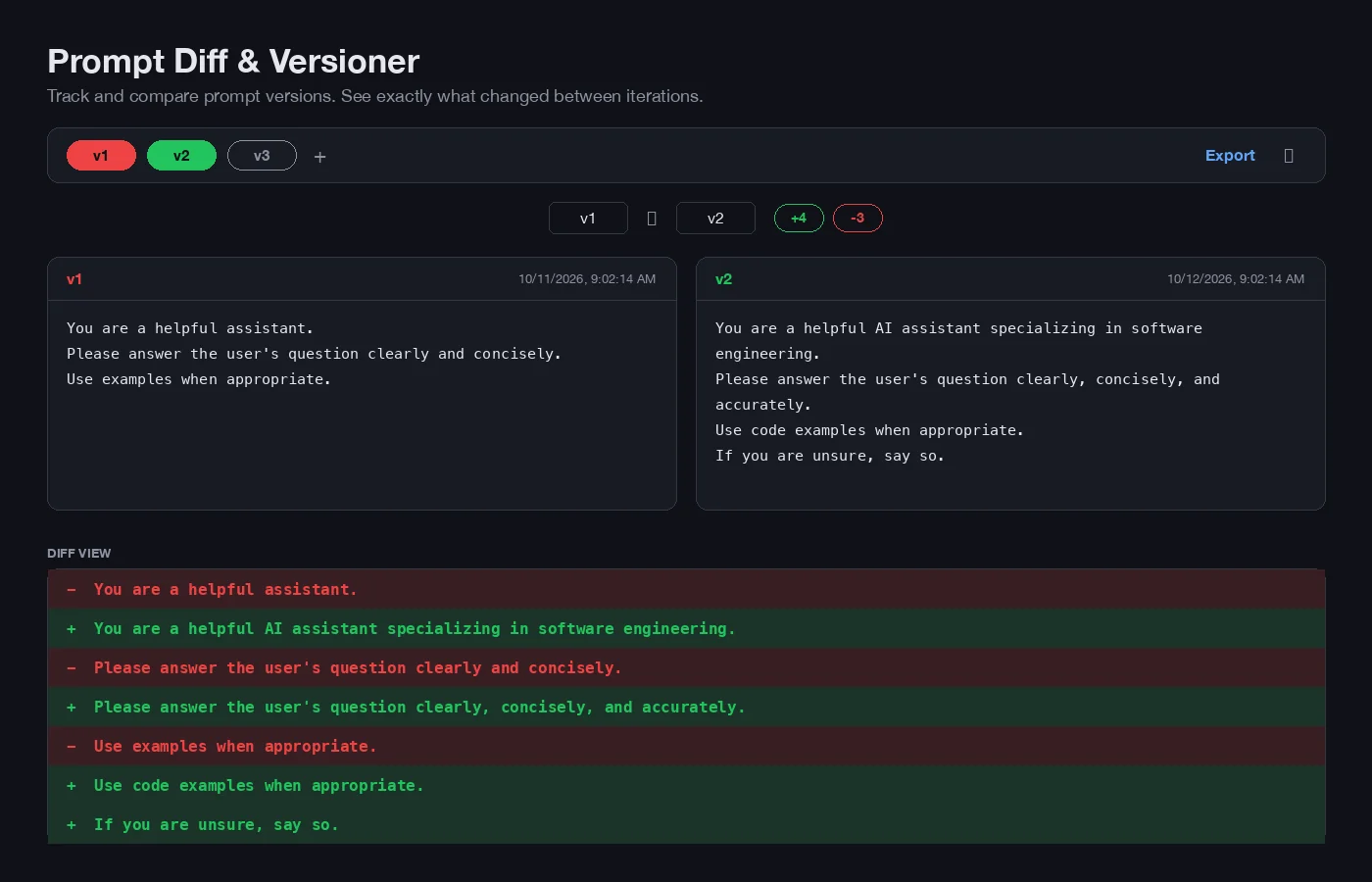
The layout has four parts:
- Version chips along the top. Each version is a chip with its label; the currently selected left version is red and the right version green. The
+adds a new empty version, labelled with the next freevN, and once you have more than two versions each chip gets a delete cross. - Two selectors choosing which version is on the left and which on the right, followed by
+Nand-Ncounts of added and removed lines. - Two editable panes. The label in each pane header is an input, so you can rename
v2toafter-tone-fix; the timestamp updates whenever the content is edited. - Diff View at the bottom, with removed lines on a red background prefixed
-and added lines on green prefixed+.
With the sample prompts the diff reads -3 / +4: three lines were reworded (each shows as a removal followed by its replacement) and a fourth line, If you are unsure, say so., was added at the end. Export downloads all versions with their timestamps as prompt-versions.json, and the copy icon puts the diff on the clipboard in plain +/-/space text, which pastes cleanly into a pull-request description or a ticket.
How the diff works, and where it is blunt
The comparison is line-based, not word-based. It walks both versions line by line: identical lines are emitted as unchanged; if the next line on the left matches the current line on the right, the left line is a removal; if the current left line matches the next right line, the right line is an addition; otherwise one removal and one addition are emitted together. The one-line lookahead keeps the output aligned for the usual case of a sentence being inserted or deleted.
Two consequences follow. First, a prompt written as one long paragraph diffs as “one line removed, one line added” no matter how small the edit; put one instruction per line and the diff becomes meaningful. Second, moving a block of three lines further down shows as three removals and three additions, not a move. For prompts, both are acceptable trade-offs: an instruction list with one rule per line is also the format that models follow most reliably.
Versions live in the browser tab. Reloading the page returns to the two sample versions, so Export is not optional if you want to keep history; the JSON file is the record.
Why this belongs in your AI SDLC
The two tools map onto two review questions that rarely get asked about prompts:
- Which parts of this prompt are fixed and which are filled in at runtime? The Template Editor makes that explicit, and the undeclared-variable chips are a lint for placeholders that nothing will populate.
- What exactly changed since the last version that passed evaluation? Prompt Diff gives the answer in the same
+/-form a reviewer already reads for code.
Neither replaces a prompt registry or an evaluation harness. They are the cheap, no-login step before those exist: export the template, commit it, and paste the diff into the pull request the next time the wording changes. The regression that used to take a week of guessing then becomes a three-line diff that someone can read.