How To Change Azure Function App Time zone
How to change the time zone used by Azure Function App timer triggers with the WEBSITE_TIME_ZONE setting so CRON expressions run in local time.
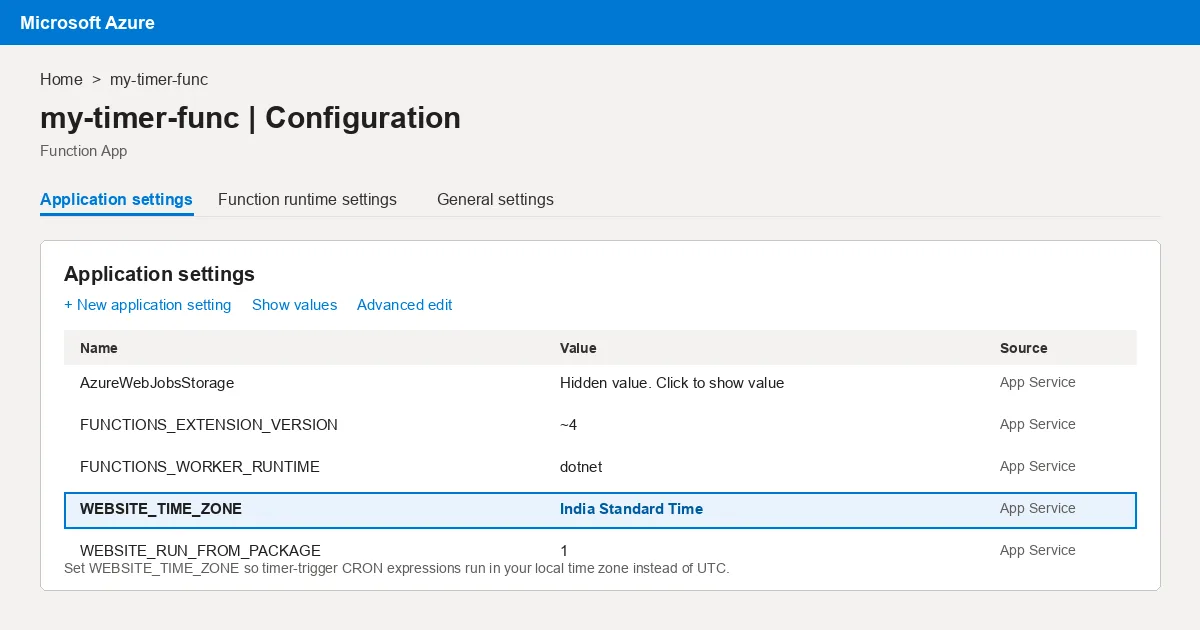
Azure function app uses NCronTab library to interpret the CRON expression. you can test your expression here. By default Azure function app uses UTC Timezone.
Now lets get to the point, before starting please check whether your function app is using Windows or Linux.
Using Azure portal
- Go to the azure function app configurations
- Add a new Configuration
WEBSITE_TIME_ZONE - For windows possible values listed here
- For Linux possible values listed here
- Save the configuration
- Done
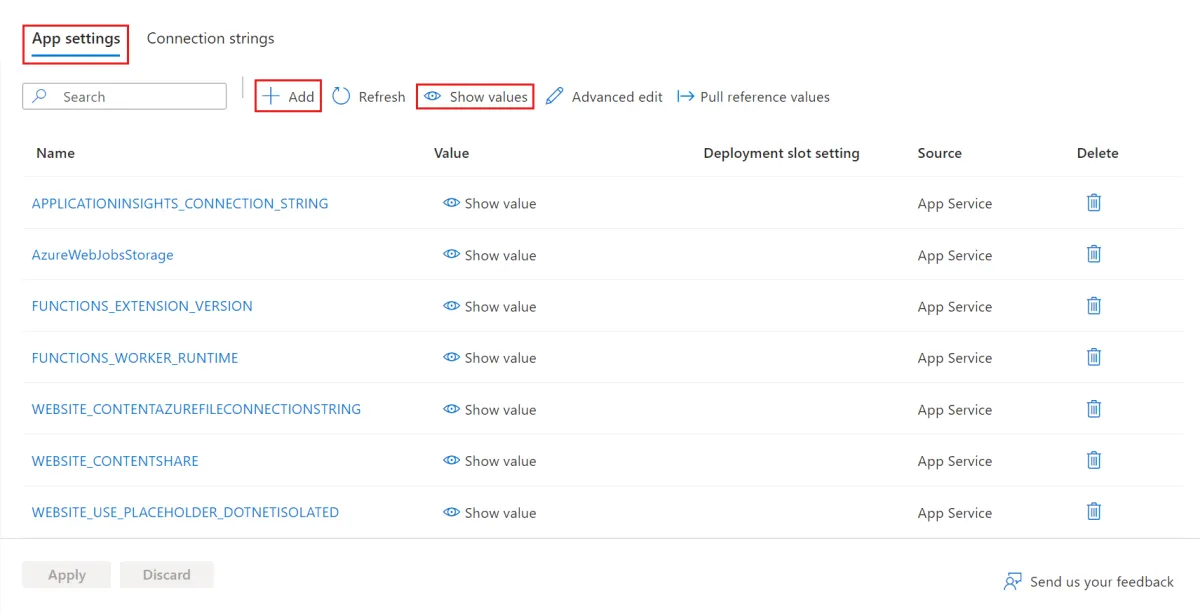 In the portal open your Function App → Settings → Environment variables → App settings (older portals: Configuration → Application settings), click Add, enter
 WEBSITE_TIME_ZONE as the name and your time-zone id as the value, then Apply/Save. The app restarts and timer triggers start firing in that zone.
Using PowerShell
Run following command and add a new app settings, don’t forget to change the values (for windows, for Linux)
1
Update-AzFunctionAppSetting -Name <MyAppName> -ResourceGroupName <MyResourceGroupName> -AppSetting @{"WEBSITE_TIME_ZONE" = "CHANGE_THIS"}
If you face any issues or if you have any question please add a comment, and please don’t forget to follow me.
cheers🍻
Inline screenshot: Function App app settings blade, from Microsoft Learn – Manage your function app, © Microsoft, licensed under CC BY 4.0.