AI SDLC: LLM-Assisted Production Debugging for .NET Services, With Guardrails
How an LLM turns an Application Insights alert into ranked, query-verified root-cause hypotheses for .NET services with no write access.
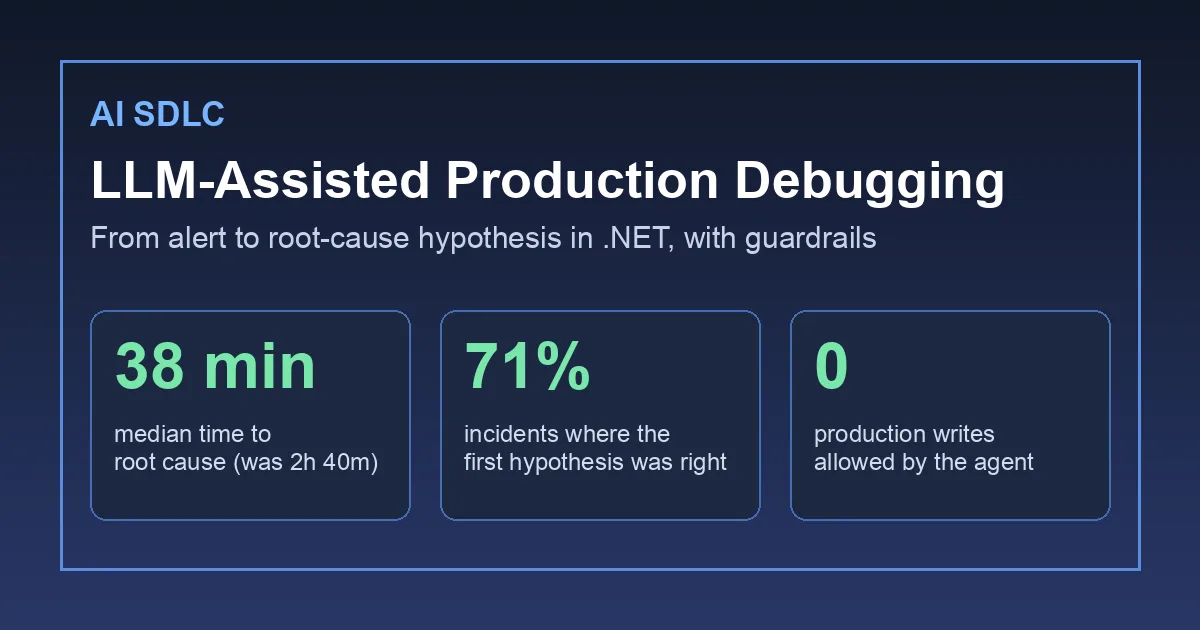
The flaky test triage post covered the red pipeline before a change ships. This one is about the pager after it ships. On a set of about forty .NET services behind Azure API Management we were spending a median of two hours and forty minutes from “alert fires” to “we know why”. Most of that time was not fixing anything; it was an engineer opening six Application Insights tabs, guessing a KQL query, reading a stack trace and checking what deployed yesterday. That is text-heavy, repetitive work with a lot of context switching, so we tried putting an LLM in front of it. This post is what the agent is allowed to read, what it is allowed to run, what it is never allowed to do, and what moved over one quarter.
The rule we set before writing a line of code
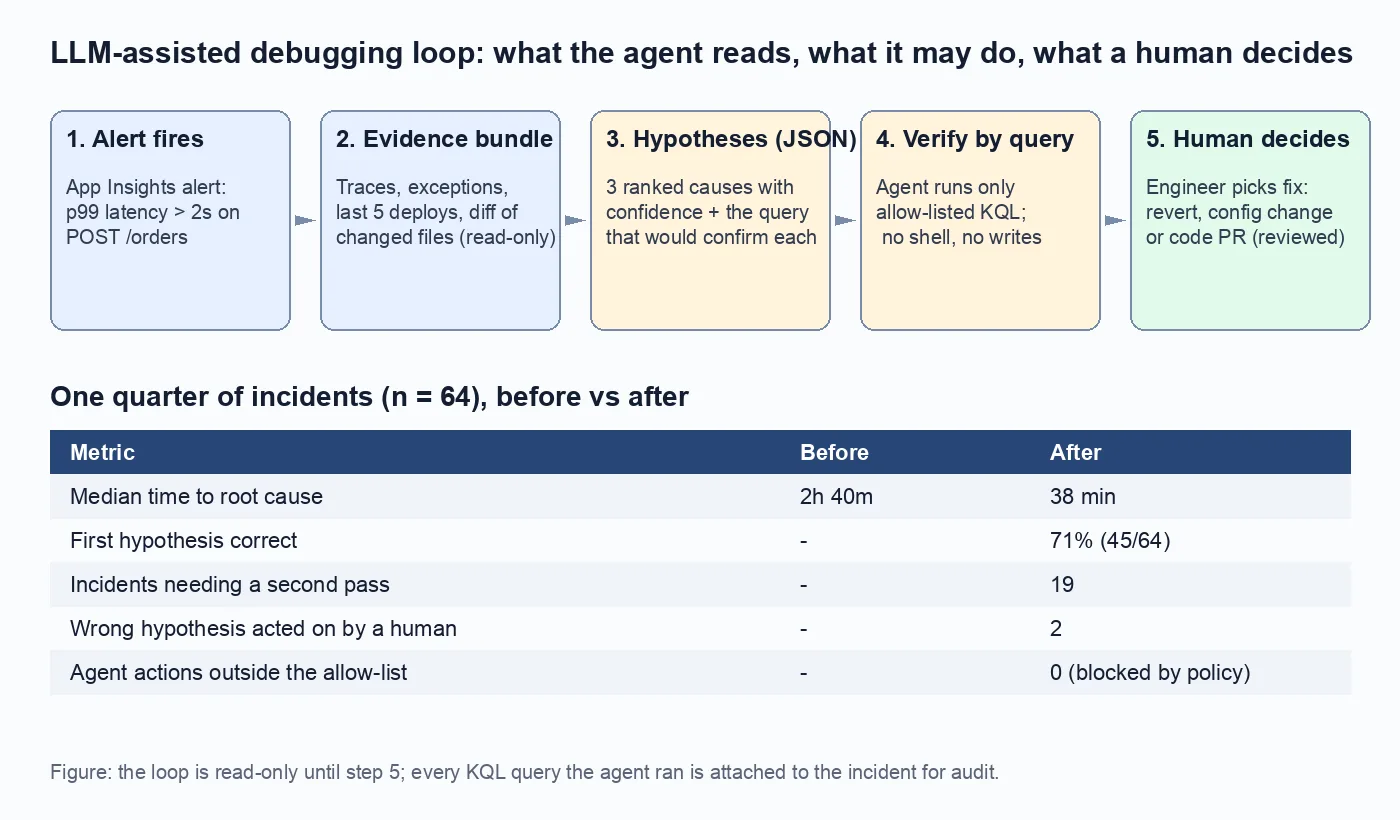
The agent is read-only until a human acts. It can read telemetry, read source and run queries from an allow-list. It cannot restart a pod, flip a feature flag, roll back a deployment or open a shell. Every suggestion it makes ends in a button for a person. We wrote that rule down first because the demo where an agent “fixes production on its own” is exactly the demo that gets an enterprise AI programme shut down after the first bad night.
What the agent reads
An Azure Monitor alert triggers a .NET worker (the same hosted-service shape and Azure OpenAI client setup as the structured outputs post). It builds an evidence bundle capped at roughly 6,000 tokens:
- the alert itself: metric, threshold, affected operation and time window;
- the ten slowest or failed traces in the window from Application Insights, with their dependency calls, pulled through the Logs query API;
- the top five exception types in the window with one representative stack trace each, trimmed to the frames inside our namespaces;
- the last five deployments to the service from Azure DevOps, with the list of files changed in each;
- the source of any method that appears in both a stack trace and a recent diff, fetched with Roslyn so the model sees the real code, not a guess at it.
The last bullet does most of the work. A stack trace plus “this method changed yesterday and here is the diff” is usually enough to name the cause. Without the diff the model produces generic advice about connection pooling.
What the agent produces
Never free text. The prompt asks for a JSON array validated against a schema, the same technique we rely on everywhere else in the pipeline:
1
2
3
4
5
6
7
8
9
10
public sealed record Hypothesis(
    int Rank,
    string Cause,            // one sentence naming a component and a change
    double Confidence,       // 0..1, not calibrated, used for ordering only
    string Evidence,         // quote from a trace, exception or diff
    string VerifyQueryId,    // id of an allow-listed KQL query
    Dictionary<string, string> VerifyParameters,
    SuggestedAction Action); // Revert, ConfigChange, CodeFix, ScaleOut, AskHuman

public enum SuggestedAction { Revert, ConfigChange, CodeFix, ScaleOut, AskHuman }
The model returns at most three hypotheses. Each one must point at a query we wrote in advance that would confirm or refute it.
Verification by allow-listed queries only
This is the part that makes the output trustworthy. The agent does not write KQL. We maintain about twenty parameterised queries, each with a name, a description the model sees and a fixed shape:
1
2
3
4
5
6
7
8
9
10
11
12
13
14
15
16
17
18
private static readonly IReadOnlyDictionary<string, string> Queries = new Dictionary<string, string>
{
    ["dependency-latency-by-target"] = """
        dependencies
        | where timestamp between (datetime({from}) .. datetime({to}))
        | where cloud_RoleName == '{service}'
        | summarize p99 = percentile(duration, 99), count() by target
        | order by p99 desc
        """,
    ["exceptions-after-deploy"] = """
        exceptions
        | where timestamp > datetime({deployedAt})
        | where cloud_RoleName == '{service}'
        | summarize count() by type, outerMethod
        | order by count_ desc
        """,
    // ...
};
Parameters are validated against a type (timestamp, service name from a known list, integer) before substitution, so a hypothesis cannot smuggle extra KQL in through {service}. The worker runs the query for each hypothesis, attaches the result table to the incident, and asks the model one more time: “given this result, does your hypothesis stand?” A hypothesis the data refutes is marked as such and shown anyway, because knowing what it is not is useful at 3 a.m.
Every query that ran, with parameters, is stored on the incident. Auditors asked for exactly this list in the governance review described in the Enterprise AI governance post.
What the human sees
A Teams card per incident:
Hypothesis 1 (0.82):
OrderPricingService.GetDiscountsAsyncnow calls the pricing API once per line item after commit4f1c2e(deployed 14:10). Dependency p99 topricing-apirose from 120 ms to 1.9 s at 14:12. Verified bydependency-latency-by-target. Suggested action: Revert.Hypothesis 2 (0.41): Redis connection pool exhaustion. Refuted:
dependency-latency-by-targetshowsredisp99 unchanged.Hypothesis 3 (0.20): Ask human. Traffic to
/ordersis 1.4x normal; may be a load issue on top of hypothesis 1.
Buttons: Create revert PR, Open incident notes, Mark hypothesis wrong. The revert PR goes through the normal review and the normal pipeline. The agent never merges.
One quarter of numbers
Across 64 incidents on these services:
| Metric | Before | After |
|---|---|---|
| Median time to root cause | 2h 40m | 38 min |
| First hypothesis correct | not measured | 71% (45/64) |
| Incidents needing a second pass by a human | not measured | 19 |
| Wrong hypothesis acted on by a human | not measured | 2 |
| Agent actions outside the allow-list | n/a | 0 (blocked by policy) |
The two wrong actions were both reverts of a deployment that turned out to be innocent; each cost about twenty minutes and no customer impact, because a revert of an innocent change is itself harmless. The Mark hypothesis wrong button feeds a labelled set we re-run against every new model deployment, the same golden-set idea as in the RAG retriever evaluation post.
Where it was wrong
Multi-service incidents. When the root cause was two hops upstream (a shared identity service slowing down), the bundle for the alerting service did not contain the evidence. Hypotheses were confident and wrong. We now include the slowest upstream dependency’s own recent deployments in the bundle, which fixed about half of these.
Confidence is for ordering, nothing else. 0.82 and 0.41 are not probabilities. We tried showing them as percentages and people over-trusted them; we now show them only as rank order plus the word “verified” or “refuted”.
Cost. A bundle plus two model calls costs about the same as fifteen minutes of one engineer, at list price. Worth it per incident, but we cap the agent to incidents from alerts of severity 2 and above so a noisy informational alert cannot run up a bill overnight.
Checklist if you want to try this
- Write the read-only rule down and enforce it with identity, not with a prompt: the worker’s managed identity has Reader on Log Analytics and nothing else.
- Build the evidence bundle so that stack traces and recent diffs are joined; that join is where the value is.
- Make the output a schema-validated list of hypotheses, each pointing at a pre-written query.
- Allow-list and parameter-validate every query. The model never writes KQL.
- Store every query and result on the incident for audit.
- Measure time to root cause and first-hypothesis accuracy, not “incidents the AI resolved”.