Function Call Schema Builder: Tool Definitions Without Hand-Written JSON
How the Lamplit Labs Function Call Schema Builder turns a form into an OpenAI tool definition, what it validates, and where you still edit the JSON.
The last post on the AI API Format Converter ended with a caveat: it does not translate tools, tool_choice or tool_calls between providers, so the tool definition itself is still yours to get right. That definition is a JSON Schema wrapped in an OpenAI-style envelope, and it is where most first function-calling attempts fail: a missing required array, an enum typed as strings when the parameter is an integer, a function name with a space in it that the API rejects with a 400. The Function Call Schema Builder on the Lamplit Labs tools site is a form that emits that envelope for you, validates the parts the API is strict about, and runs entirely in the browser.
What the page looks like
The page opens with a get_weather example: a function name, a description, and two parameters. location is a required string with a description; unit is an optional string with the enum celsius, fahrenheit. The right-hand editor shows the generated schema live, so the sample already demonstrates the three things a tool definition needs: a name the model can call, a description the model uses to decide when to call it, and typed parameters.
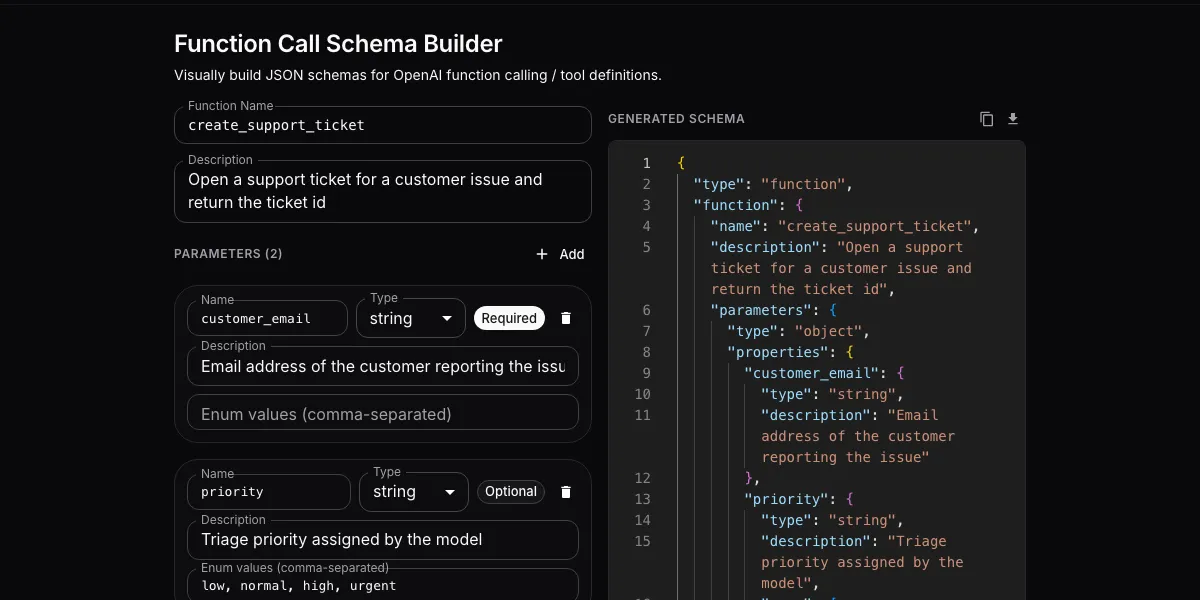
Replace the sample with your own tool and the output follows every keystroke. Here it is after describing a create_support_ticket function with a required customer_email string and an optional priority enum:
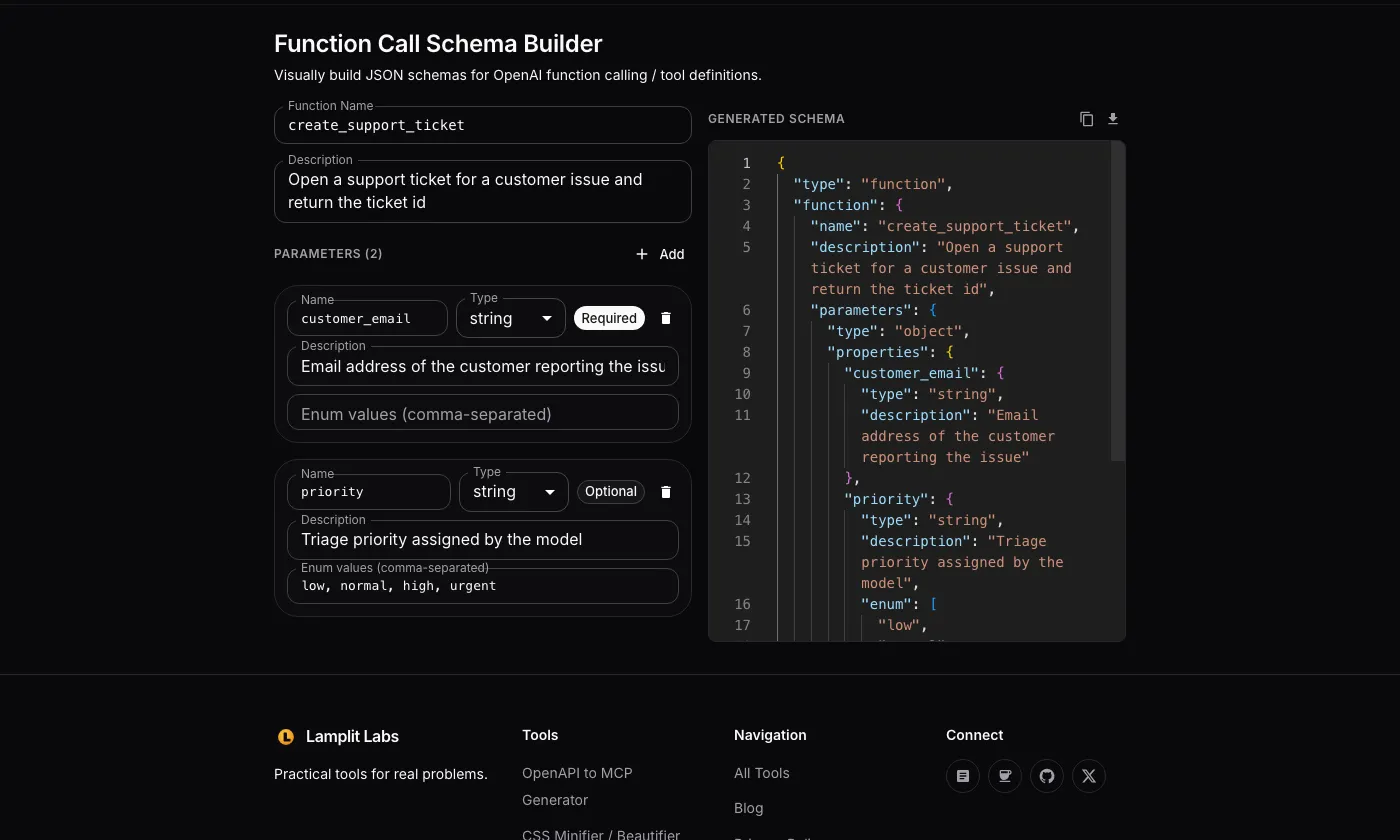
The generated JSON for that form is:
1
2
3
4
5
6
7
8
9
10
11
12
13
14
15
16
17
18
19
20
21
22
23
{
  "type": "function",
  "function": {
    "name": "create_support_ticket",
    "description": "Open a support ticket for a customer issue and return the ticket id",
    "parameters": {
      "type": "object",
      "properties": {
        "customer_email": {
          "type": "string",
          "description": "Email address of the customer reporting the issue"
        },
        "priority": {
          "type": "string",
          "description": "Triage priority assigned by the model",
          "enum": ["low", "normal", "high", "urgent"]
        }
      },
      "required": ["customer_email"],
      "additionalProperties": false
    }
  }
}
That is the tools[] element shape OpenAI’s chat completions API expects, and it is also what the Anthropic and Gemini SDKs accept once you unwrap function into their own envelopes (input_schema and parameters respectively). The parameters block in the middle is plain JSON Schema and is portable as-is.
What each control emits
The form is deliberately small; every field maps to one line of output.
| Control | Effect on the schema |
|---|---|
| Function Name | function.name; trimmed; validated against ^[A-Za-z_][A-Za-z0-9_-]{0,63}$ |
| Description | function.description; trimmed |
| Parameter Name | key under properties; blank or duplicate names are dropped from the output |
Type (string, number, integer, boolean, array, object) | type on the property; array adds "items": {}, object adds "additionalProperties": true |
| Required / Optional chip | toggles the name in or out of the required array |
| Description | description on the property, omitted when empty |
| Enum values (comma-separated) | enum on the property; disabled for array and object |
Two of those rows do more than they look. The enum field is coerced to the parameter type: typing 1, 2, 3 on an integer parameter emits "enum": [1, 2, 3], not ["1", "2", "3"], and typing true, false on a boolean emits real booleans. The naive hand-written version of this almost always ends up as strings, and the model then returns "2" where your code expected 2. The top-level parameters object is also always emitted with "additionalProperties": false, which is what you want for a tool call (the model should not invent arguments) and is a requirement if you later turn on OpenAI’s strict structured outputs.
What it validates
Validation runs on every change and the first problem is shown as a red chip above the schema; Copy and Download are disabled until the list is empty. The rules are the ones the APIs actually enforce or that silently break a definition:
- Function name must be 1 to 64 characters, start with a letter or underscore, and contain only letters, digits, underscores and hyphens. This is the OpenAI function-name rule; a space or a dot fails here instead of in a 400 response.
- Every parameter needs a name. An unnamed parameter would otherwise vanish from
propertieswhile still looking present in the form. - Parameter names must be unique. A duplicate would silently overwrite the earlier property.
- Enum on
arrayorobjectis flagged, because theenumkeyword on a container type does not mean what people expect and the APIs do not use it. - Enum values must match the type: non-numeric text on a
number, a fraction on aninteger, or anything buttrue/falseon abooleanis reported by parameter name.
Here is rule 3 firing after a second parameter was also named customer_email:
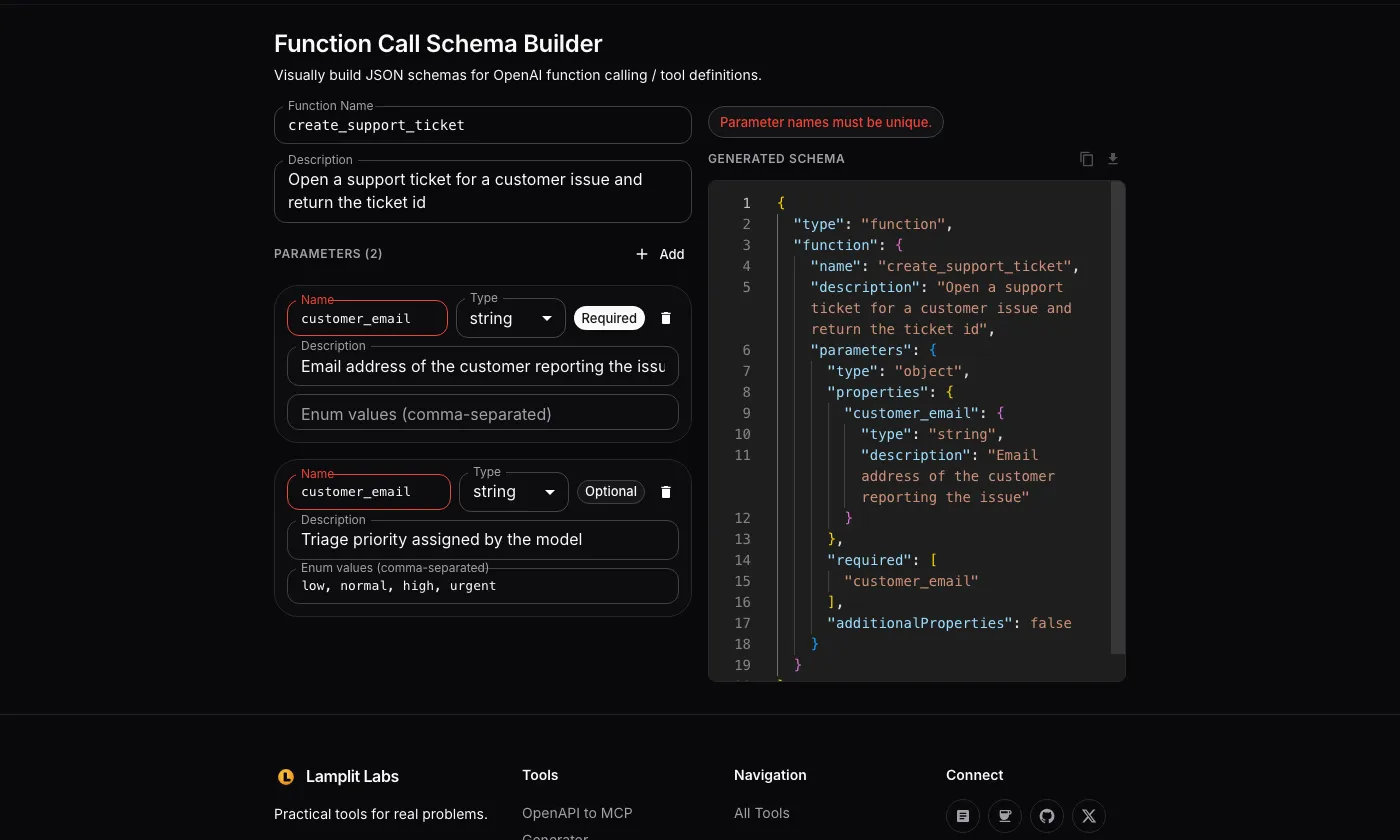
Only the first error is shown at a time, so fix it and the next one, if any, takes its place.
What it deliberately does not do
The builder covers the flat case well and stops there. Knowing the edges saves a round trip:
- Nested objects are opaque. Choosing
objectgives you{"type": "object", "additionalProperties": true}with no way to describe inner properties. For a nested argument, generate the outer schema here and paste the inner schema in by hand, or flatten the parameter into dotted names. - Array items are untyped.
arrayemits"items": {}. If the model should return an array of strings, edit the output to"items": {"type": "string"}before shipping it. - No
strict: trueflag. OpenAI’s structured outputs mode also requires every property to be listed inrequired(with nullable types for the optional ones). The builder emits a normalrequiredarray, so a schema with optional parameters needs that adjustment before strict mode will accept it. - No
format,pattern,minimumordefault. Add these in the output if your validator or the model benefits from them. - One function at a time. The
toolsarray in a real request holds several definitions; the Download button saves one file named<function-name>-schema.jsonper function.
None of this is hidden; it is a form with six parameter types and a live JSON pane, and the output is editable text you own from that point on.
Where it fits in an AI SDLC
Tool definitions are an interface contract between your code and the model, and they deserve the same treatment as an API spec: reviewed, versioned, and validated before they reach production. In practice the builder is useful at three points:
- Design review. Sketch the function with a product owner in the form rather than in a code editor. The description fields are the part the model actually reads, and non-engineers can write them.
- Checking a schema someone else wrote. Rebuild it in the form; if the builder flags a name or an enum type, the original has the same bug.
- Seeding a fixture. Download the JSON, commit it next to the handler, and have a test assert that the handler accepts every
requiredproperty and rejects extras, whichadditionalProperties: falsealready promises to the model.
Combined with the Format Converter for the request envelope and the Token Counter for the budget the tool descriptions consume, you can prototype a complete provider-agnostic request in the browser before any adapter code exists.