Text Chunker for RAG: Previewing Chunk Boundaries Before You Embed
How the Lamplit Labs Text Chunker splits text by tokens, sentences, paragraphs or characters and how to use its overlap preview to pick a RAG chunking strategy.
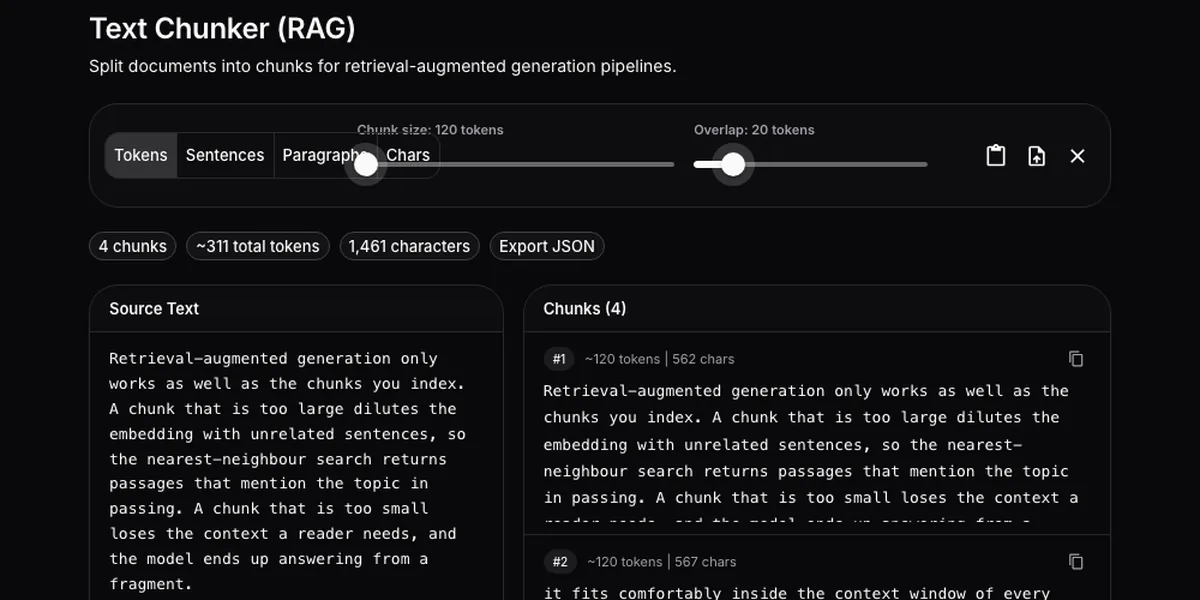
The Function Call Schema Builder post covered the contract between your code and the model. Retrieval-augmented generation has a contract too, and it is decided earlier and reviewed less: how a document is cut into chunks before anything is embedded. Chunks that are too large return passages that mention the query in passing; chunks that are too small answer from a fragment with no context. Most teams pick a number, embed everything, and only discover the boundary problems when a user gets a half-sentence back. The Text Chunker for RAG on the Lamplit Labs tools site lets you look at the chunks first. It runs entirely in the browser; the text never leaves the tab.
What the page looks like
The page is a text area, a strategy toggle with four options (Tokens, Sentences, Paragraphs, Characters), two sliders for chunk size and overlap, and a list of the resulting chunks. Paste text or upload a file and the list updates on every keystroke and every slider move, with each chunk numbered and labelled with its token estimate and character count.
Here it is on five paragraphs about chunking strategies, with the Tokens strategy at a 120-token chunk size and a 20-token overlap, which is deliberately small so the boundaries are visible without scrolling:
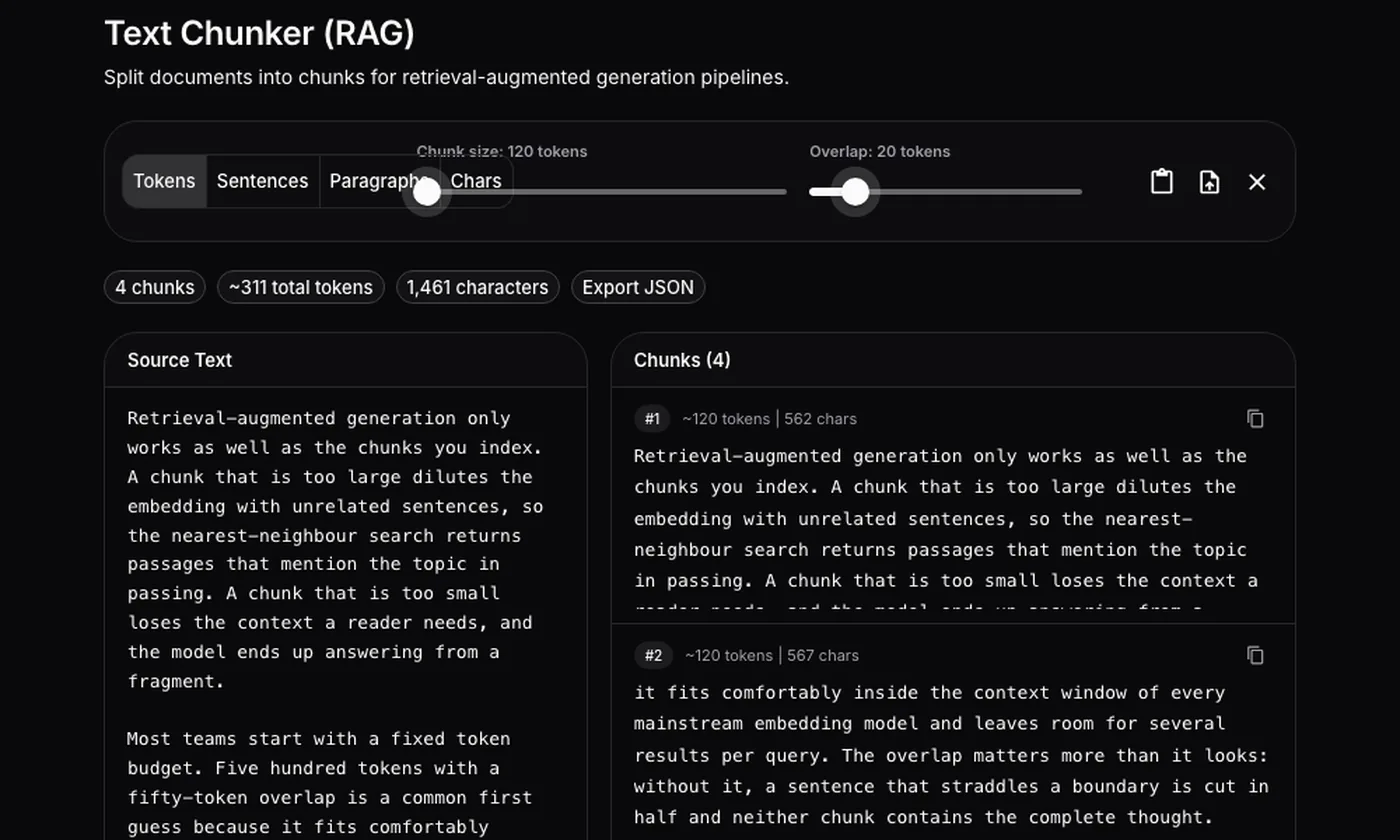
The defaults are 500 tokens and a 50-token overlap, which is the usual first guess for mainstream embedding models and is a sensible place to start if you have no other information.
What each strategy actually does
The four strategies are not four tokenizers; they are four different units, each with its own slider range, and knowing the unit tells you what the numbers mean.
- Tokens splits on whitespace and treats every word as roughly 1.3 tokens. A 500-token chunk is therefore about 385 words, and the token count shown on each chunk is that same estimate, not a tiktoken count. For English prose the estimate is close; for code, JSON or non-Latin scripts it drifts, and the Token Counter is the tool to confirm the longest chunk fits your embedding model’s limit. The slider runs to 4,000 tokens.
- Sentences uses the browser’s own sentence segmenter (
Intl.Segmenter), so abbreviations and decimal points are handled the way your browser’s locale handles them. Chunk size is a count of sentences, up to 50, and the default is 10. - Paragraphs splits on blank lines. Chunk size is a count of paragraphs, up to 20, default 5. This is the natural fit for documentation, release notes and knowledge-base articles, where each paragraph is already a self-contained unit.
- Characters counts grapheme clusters rather than UTF-16 code units, so an emoji or a combining accent is one character and is never cut in half. Chunk size runs to 10,000, default 2,000; this is the fallback for logs and transcripts that have no reliable sentence or paragraph structure.
Switching strategy keeps your text and clamps the sliders to the new range, so moving from Tokens at 500 to Paragraphs gives you 20 paragraphs, not 500.
What overlap does
Overlap is measured in the same unit as the strategy: tokens, sentences, paragraphs or characters. Each new chunk starts size - overlap units after the previous one, so with 120 tokens and an overlap of 20 the second chunk repeats the last 20 tokens of the first. The tool caps overlap at one less than the chunk size, which is the only sane limit: an overlap equal to the size would never advance.
The screenshot below is the same text with the Paragraphs strategy, two paragraphs per chunk and an overlap of one, so every paragraph appears in two consecutive chunks:
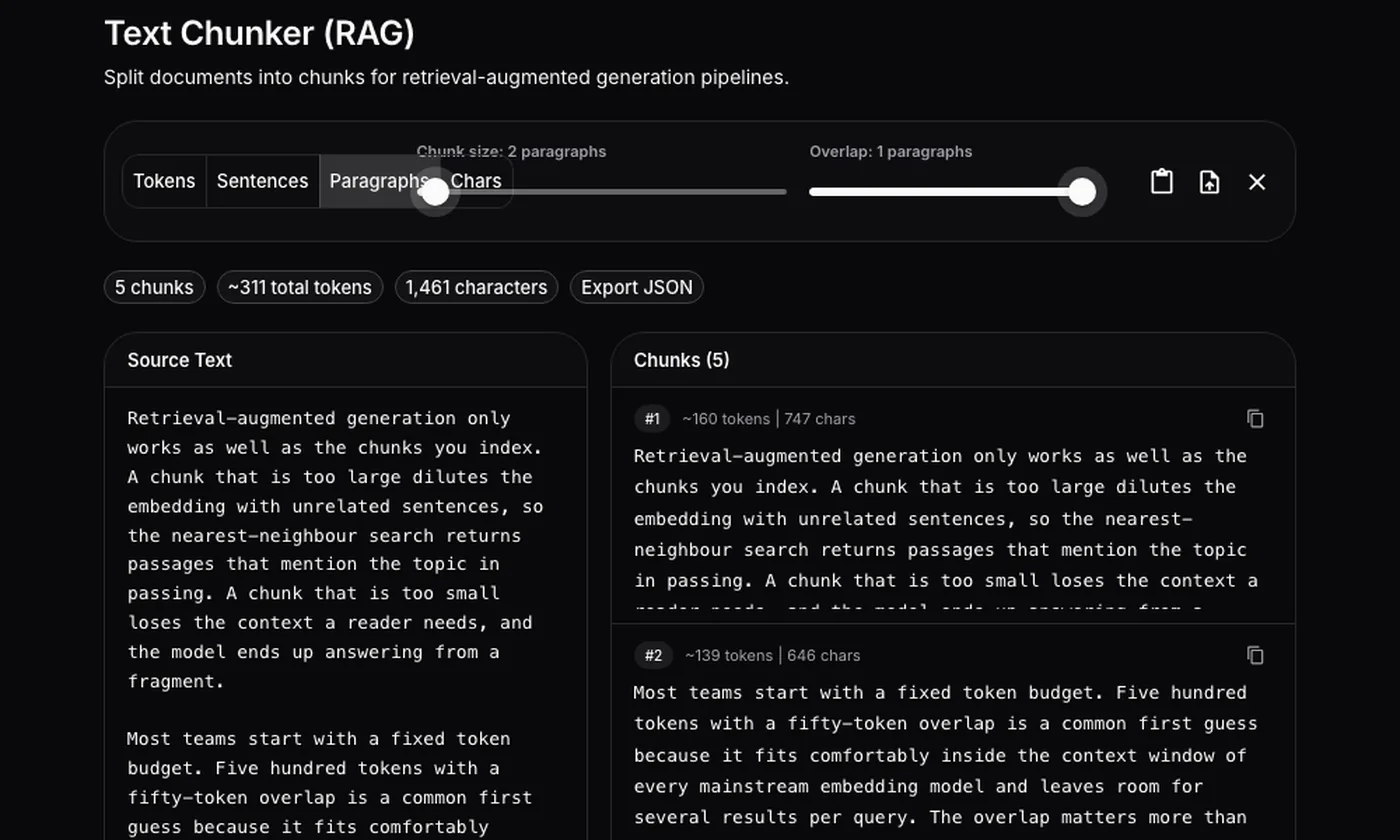
That is a lot of duplication for a vector store, and the preview makes the cost obvious before you pay it in storage and in duplicate hits at query time. In practice an overlap of one sentence, or ten to fifteen percent of the token budget, is enough to keep a thought that straddles a boundary intact in at least one chunk.
Getting the chunks out
Each chunk has a copy button, and Export JSON downloads the whole list as an array of strings. That export is the useful artefact: drop it into a notebook, embed it with the model you intend to use, and run your real queries against it before committing to the strategy for the entire corpus.
What it deliberately does not do
- It does not call a tokenizer. The token figure is a word-count estimate; use the Token Counter for the exact number on the chunk that matters.
- It does not do semantic or recursive splitting. There is no “split on headings, then paragraphs, then sentences” cascade; pick the unit that matches your documents.
- It does not embed anything or talk to a server. It is a preview of boundaries, not a pipeline.
Where it fits in an AI SDLC
Chunking is an indexing decision that is expensive to reverse, because changing it means re-embedding the corpus. The chunker earns its place at three points:
- Choosing a strategy. Paste two or three representative documents, try each unit, and look at where the boundaries fall relative to headings, lists and code blocks. The one that keeps units intact without wild size variation wins.
- Reviewing a retrieval bug. When a user reports an answer built from a fragment, paste the source document with the production chunk size and overlap and find the chunk that produced it. Most of the time the fix is a different unit, not a bigger size.
- Documenting the decision. Export the JSON for a sample document and commit it next to the indexing config as a fixture. A test that asserts the chunk count and the first and last chunk catches a silent change to the splitter later.
Together with the Token Counter for the budget each chunk consumes and the AI Pricing Calculator for what embedding the whole corpus will cost, you can settle the indexing side of a RAG pipeline in the browser before writing the first line of ingestion code.