Structured Output Validator: Catching Schema Drift Before It Reaches Your Code
How the Lamplit Labs Structured Output Validator checks an LLM's JSON against a JSON Schema in the browser, naming the keyword and property for every violation.
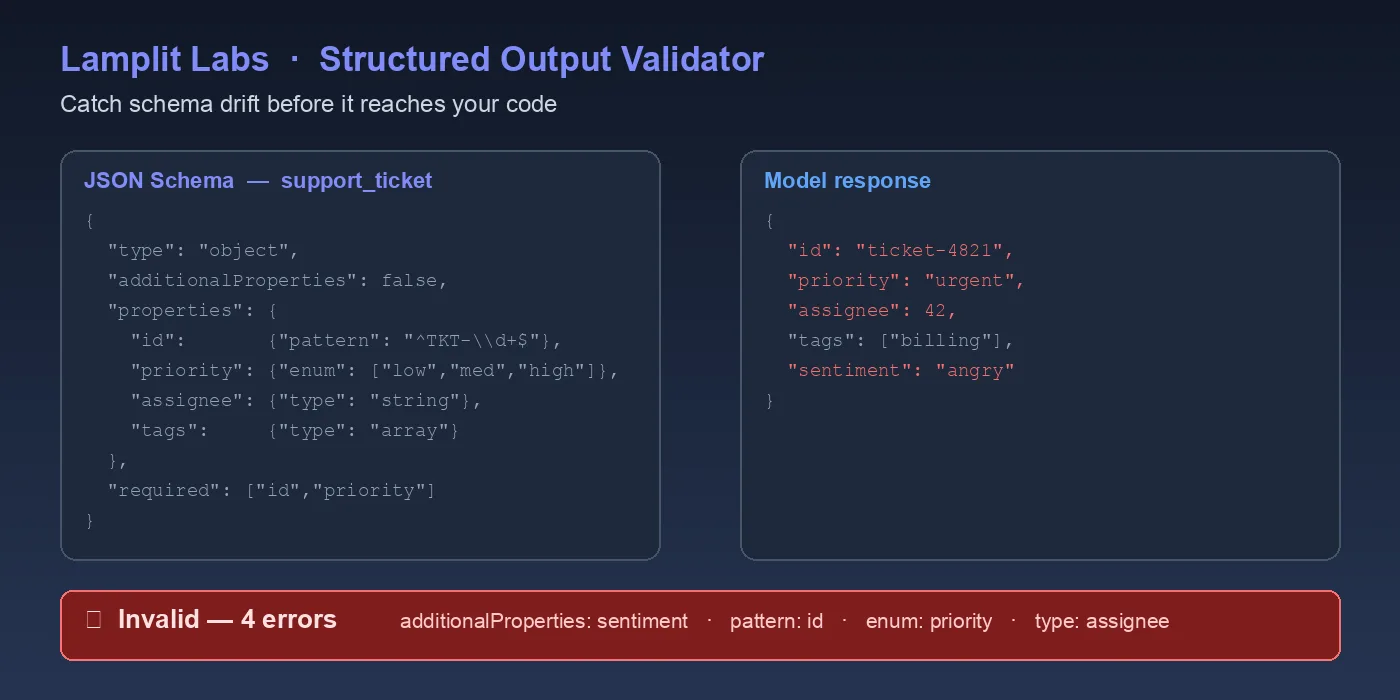
The Embedding Visualizer post was about the numbers a RAG pipeline produces on the way in. This one is about what comes out the other end. Once a model is asked to answer in JSON, the first consumer of that JSON is usually JsonSerializer.Deserialize or json.loads, and the first sign of trouble is a stack trace three services away from the prompt. The Structured Output Validator on the Lamplit Labs tools site sits between those two points: paste a JSON Schema on the left, paste the model’s reply on the right, and it tells you exactly which keyword failed on which property. It runs entirely in the browser, so a response that contains customer text never leaves the tab.
Why “it parsed” is not the same as “it is valid”
Most structured-output bugs are not syntax errors. The model returns well-formed JSON, the parser is happy, and the problem only surfaces when a downstream switch statement meets "priority": "critical" on an enum that only knows urgent. Three patterns come up over and over:
- Invented enum values. The model paraphrases a category instead of picking one from the list.
- Stringified numbers.
"sentiment_score": "-0.7"instead of-0.7. Many parsers coerce it silently, then a comparison somewhere fails. - Helpful extra fields. A
reasoningkey the schema never asked for, which is harmless untiladditionalProperties: falseis turned on in production and every response starts failing.
The Azure OpenAI structured outputs post covered how to make the model obey a schema. The validator is for checking whether a given reply actually did, without writing a throwaway script each time.
Start from a template
The tool opens with five schema templates: Simple Object, API Response, Function Call, Chat Completion and Array of Objects. Function Call is the shape most tool-calling code expects: a name with minLength: 1, an arguments object with a required location, an optional unit enum of celsius/fahrenheit, an integer count with minimum: 1, and additionalProperties: false at the top level. Clicking Generate Sample Output fills the right-hand pane with a response that satisfies the schema, which is a quick way to see what “correct” looks like before pasting a real one.
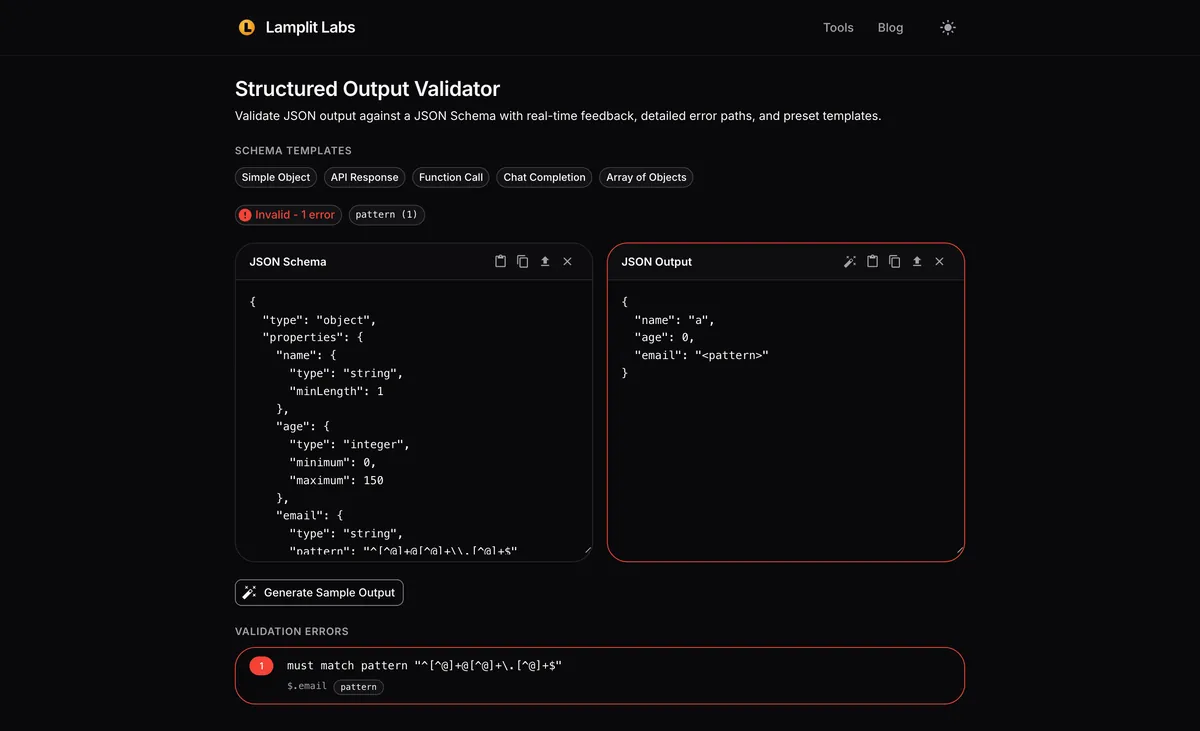
The banner above the two panes updates as you type; there is no validate button to press.
A real reply with four problems
For the walkthrough I used a support-ticket triage schema: ticket_id must match ^TCK-[0-9]{5}$, priority is an enum of low/medium/high/urgent, category is another enum, sentiment_score is a number between -1 and 1, needs_human is a boolean, summary is capped at 120 characters, and additionalProperties is false. Then I pasted a reply of the kind a model produces when the prompt is slightly loose.
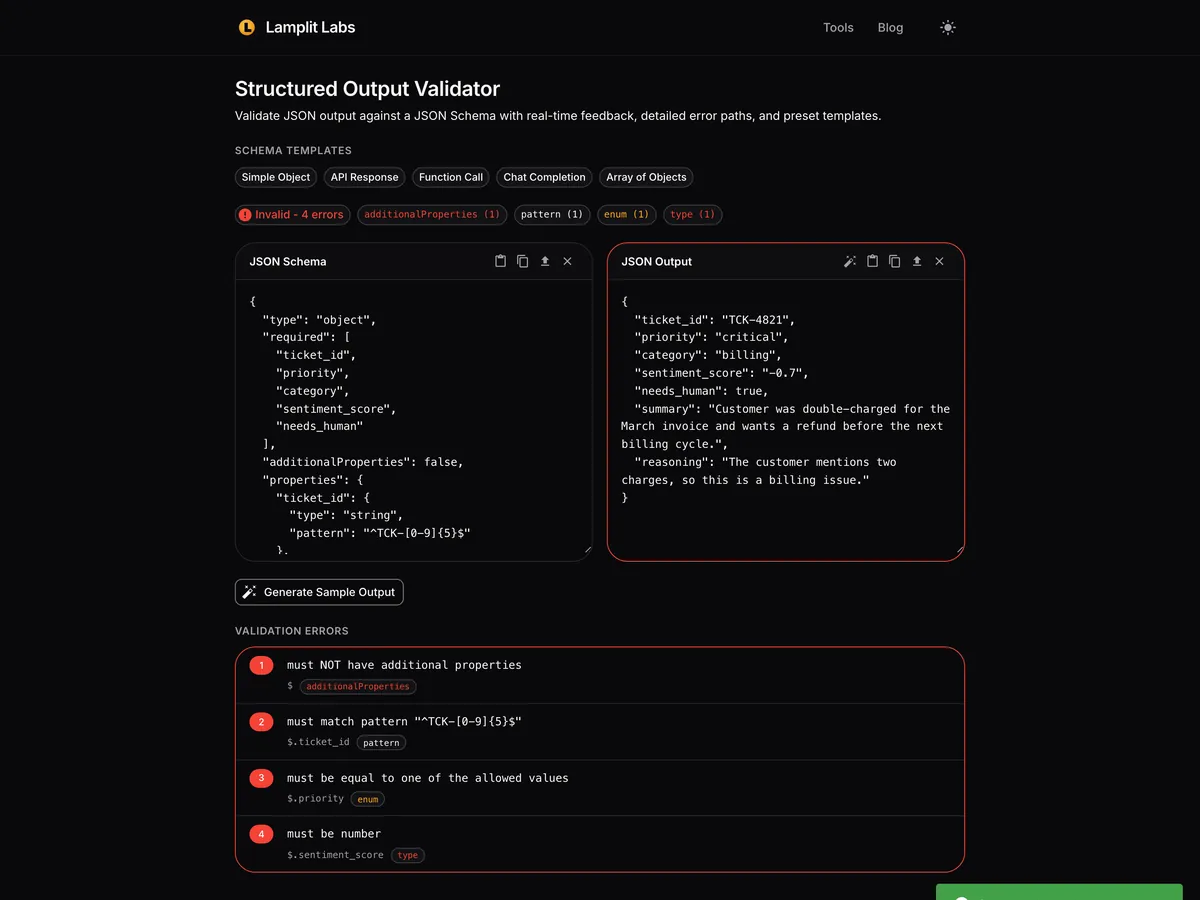
The result reads Invalid - 4 errors, with a chip per keyword so you can see at a glance what kind of drift you are dealing with. Below the panes, the Validation Errors list spells each one out:
Unexpected additional property "reasoning"at the root - the extra field the schema never asked for.String does not match pattern "^TCK-[0-9]{5}$"atticket_id- the model wroteTCK-4821, four digits instead of five.Value "critical" is not one of the allowed values: "low", "medium", "high", "urgent"atpriority.Expected type "number", got "string"atsentiment_score- the score came back quoted.
The property paths are the part that saves time. On a nested arguments.filters[2].field failure, the path names the array element that is wrong rather than leaving you to diff the whole document by eye.
Fix the reply, watch the banner flip
Correcting the four fields - five-digit ticket id, urgent instead of critical, a numeric score, and dropping the reasoning key - turns the banner green.
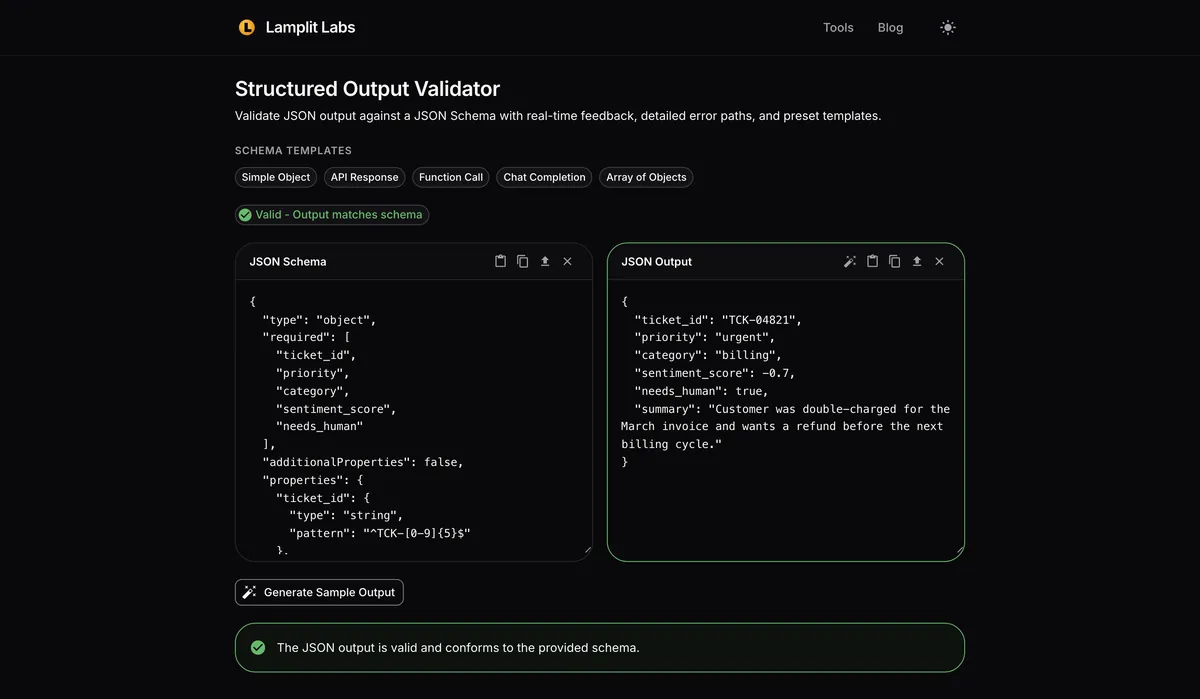
That loop - paste, read the paths, adjust either the prompt or the schema, paste again - is the whole workflow. It is also a reasonable way to tighten a schema: start permissive, paste a dozen real replies, and add pattern, enum and maxLength constraints one at a time while watching which replies start failing.
Where it fits in the delivery pipeline
A few places this has earned its keep:
- Prompt reviews. Attach the schema and a failing reply to the pull request instead of a screenshot of a stack trace.
- Deciding between strict mode and post-processing. If every failure is
additionalProperties, you can strip unknown keys and move on; if the failures areenumandpattern, the prompt needs work. - Debugging a provider change. When a model upgrade starts producing
nullfor optional strings, thetypekeyword count climbs before any user notices.
The validator checks one document against one schema; it does not run a batch or store history. For a regression suite, keep the schema in the repository and run it with your language’s JSON Schema library in CI. For the moment when a single reply looks wrong and you want to know why in ten seconds, open tools.lamplitlabs.com/structured-output.